
Office Resources
Send Reschedule Request Form link
If a client attempts to reschedule by phone, first use the “Reschedule Script by Phone” article as guidance and scripting. If the client would still like to reschedule, here are the templates that can be used to send the link:
FOLLOW UP EMAIL AFTER PHONE CONVERSATION IF CUSTOMER STILL WANTS TO CHANGE DATE
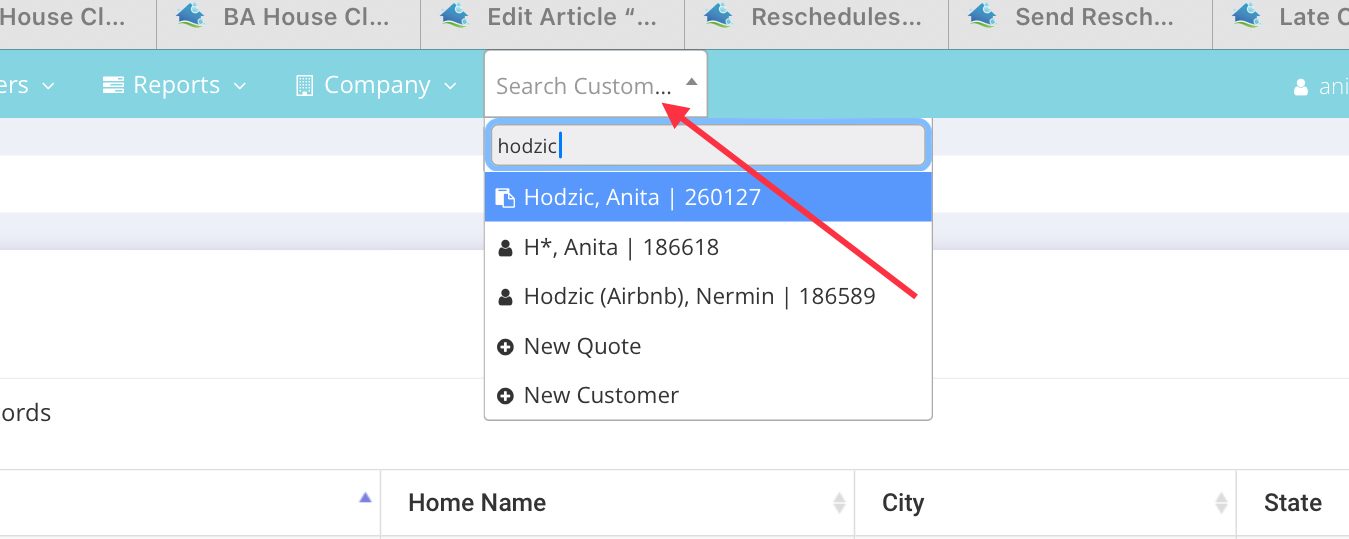
- Locate the customer in MaidCentral (MC>search by customer name)
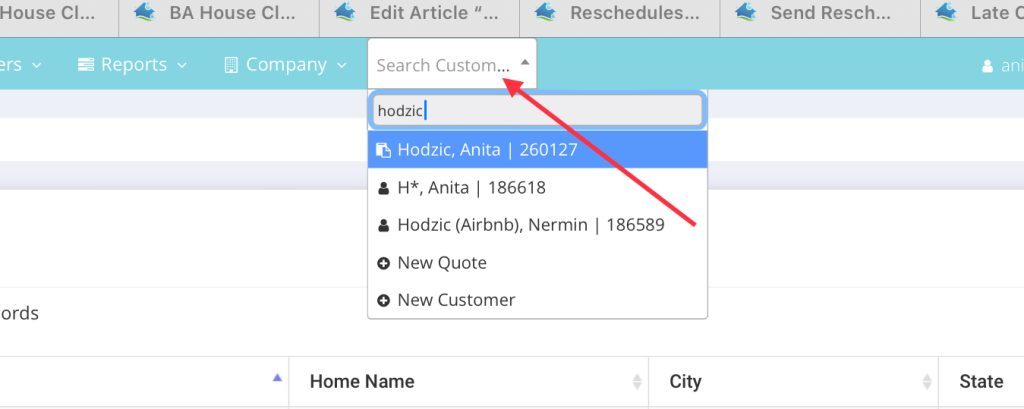
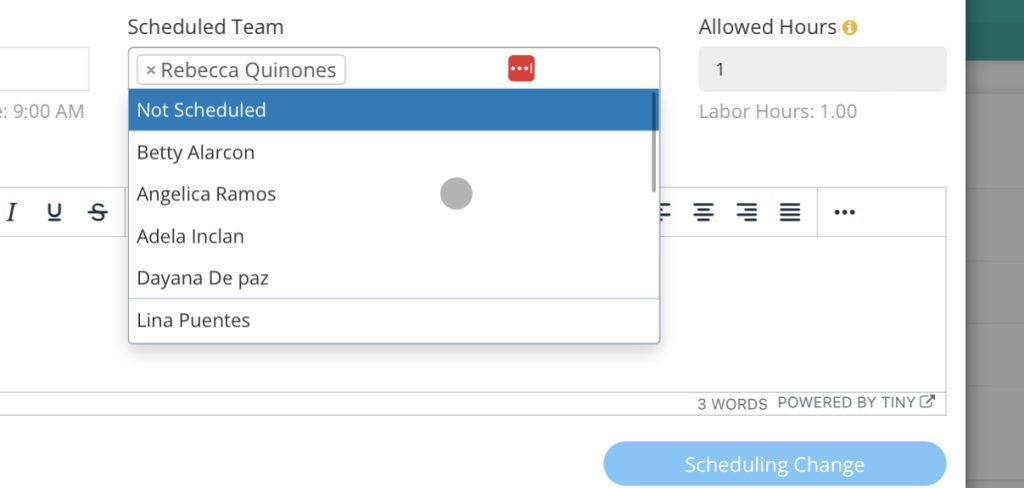
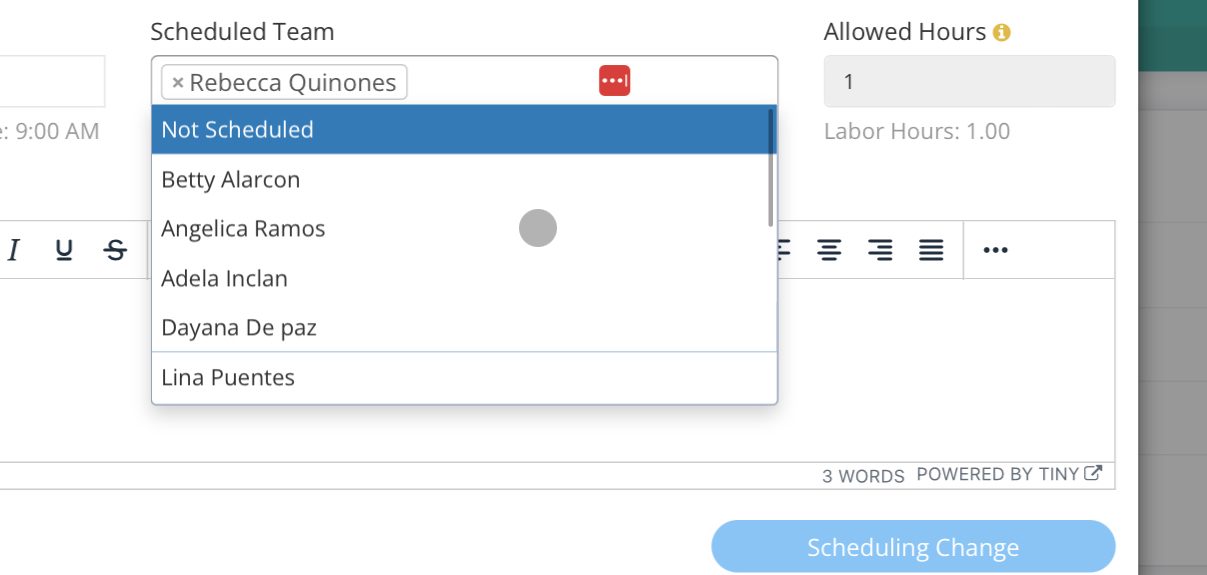
- Ensure that particular cleaning appointment’s team is set to NOT SCHEDULED (Locate the appt>Double click to open it>remove current team>Add to Not-Scheduled)
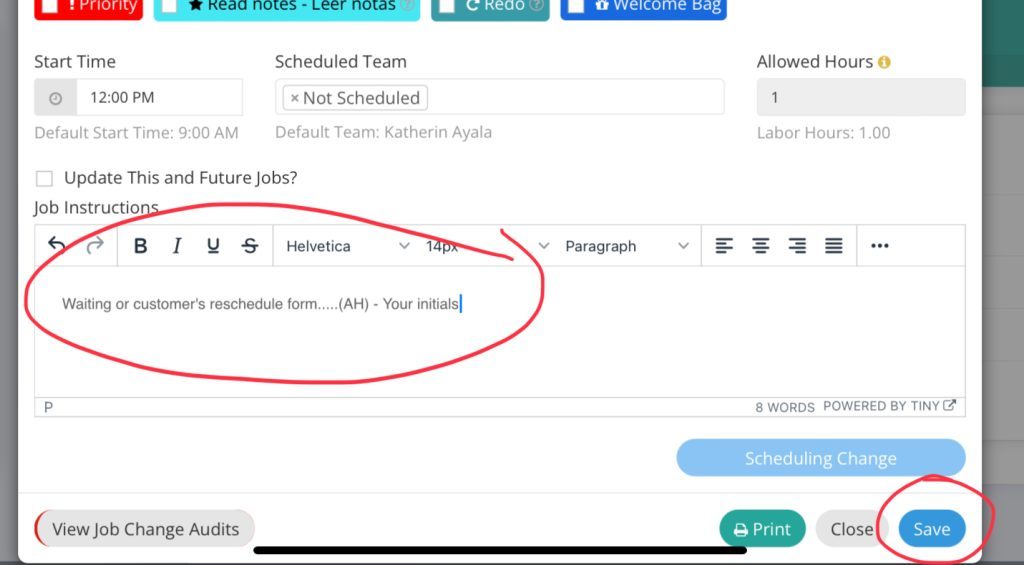
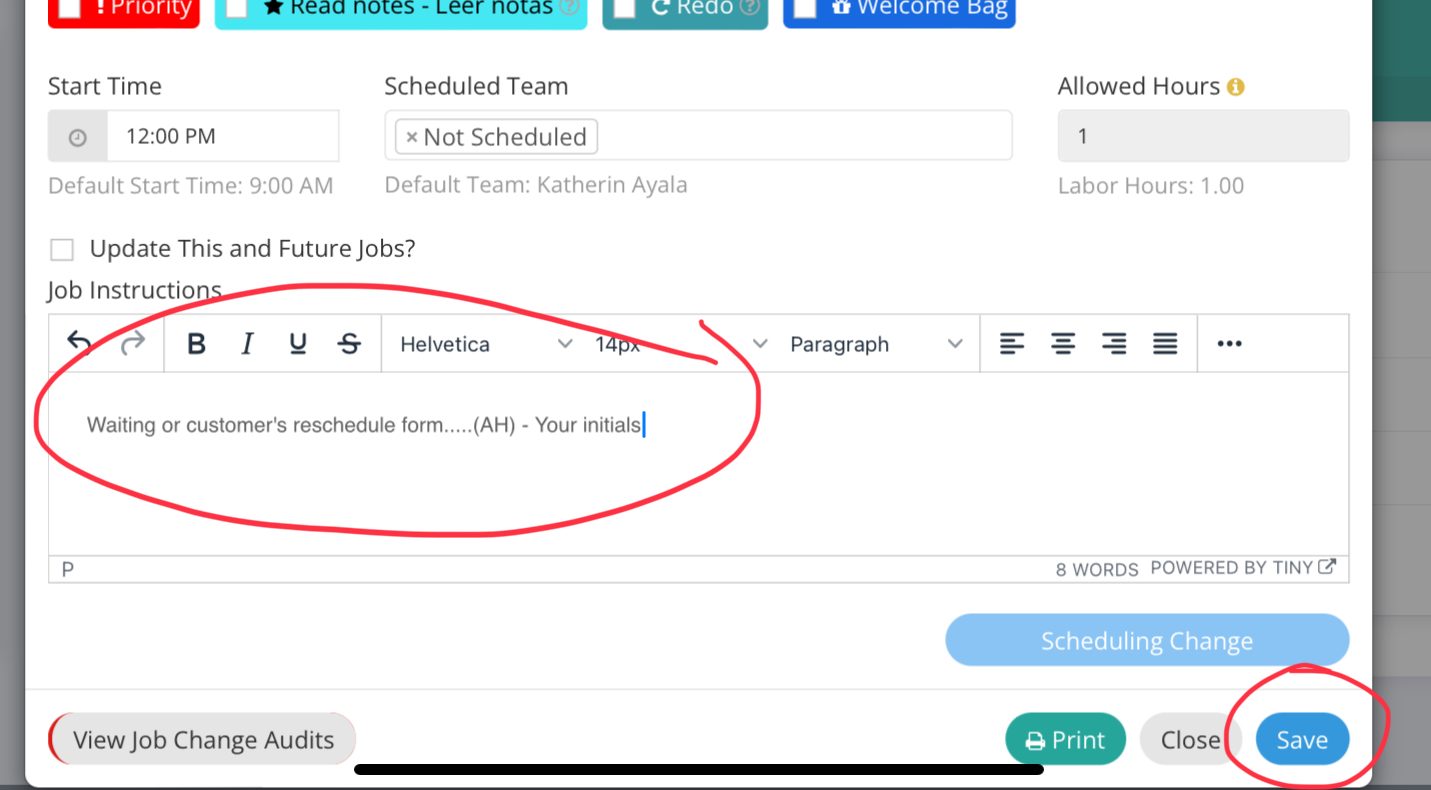
- Note why you’re putting this in NOT-SCHEDULED, initial and click SAVE.
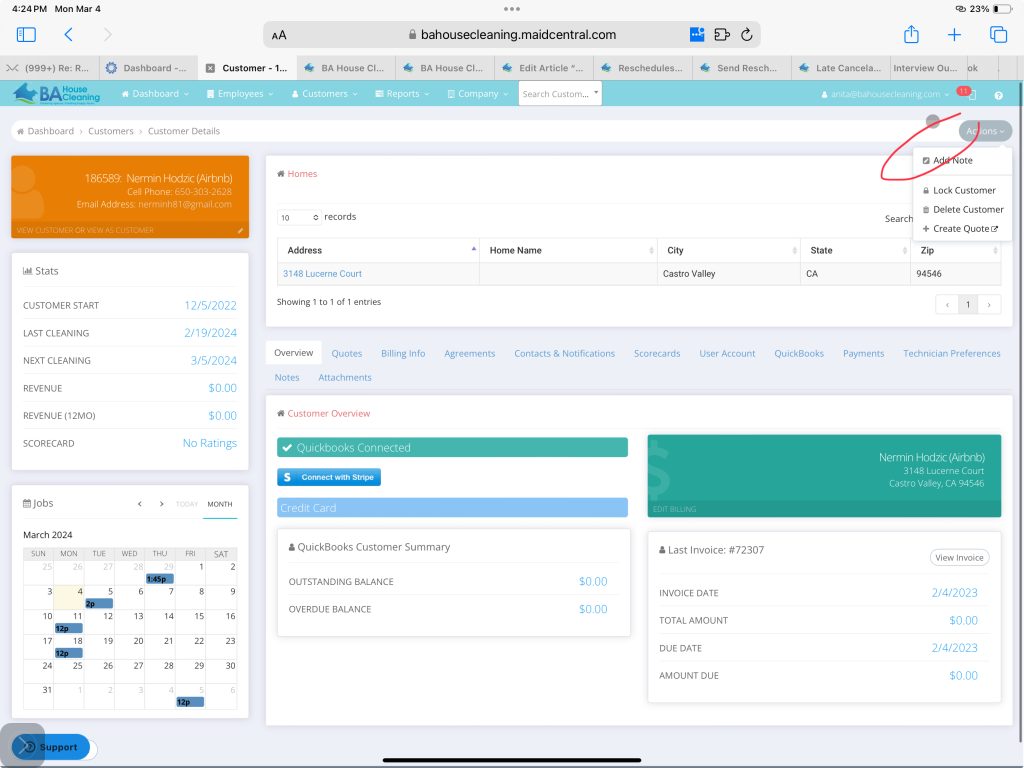
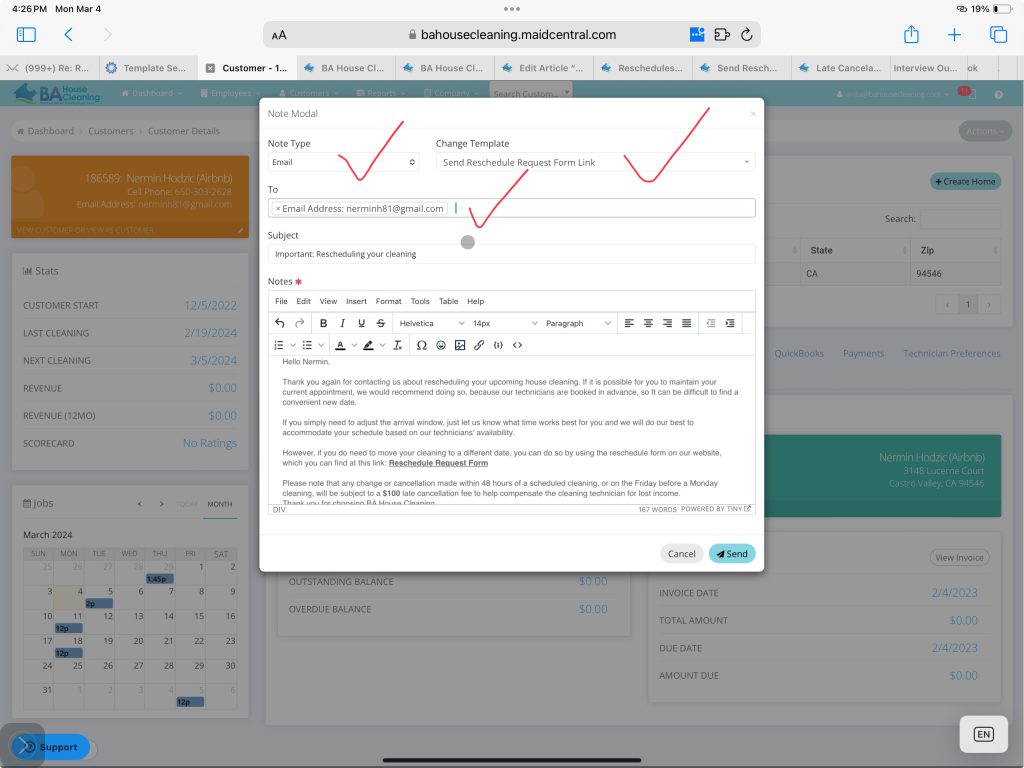
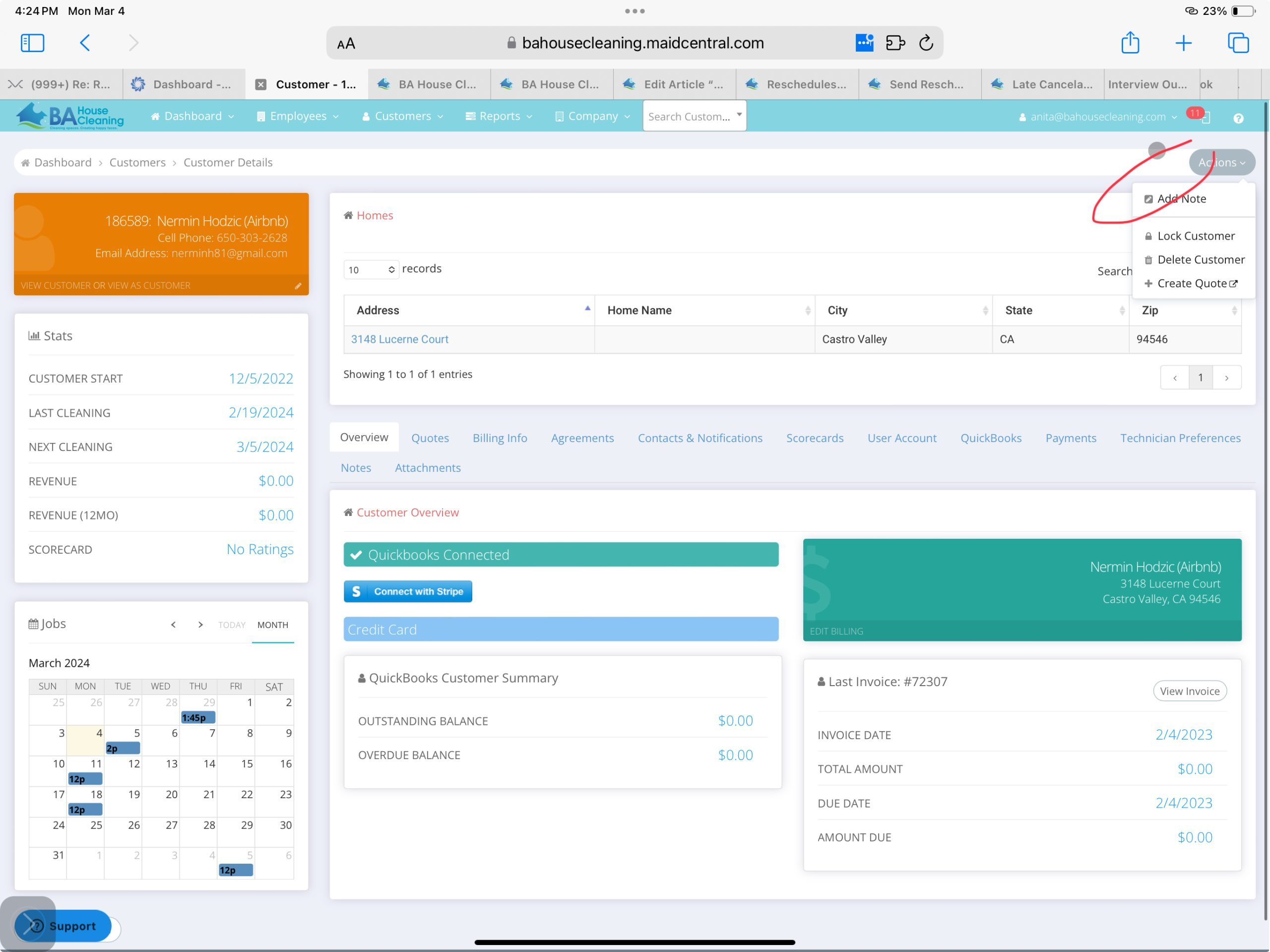
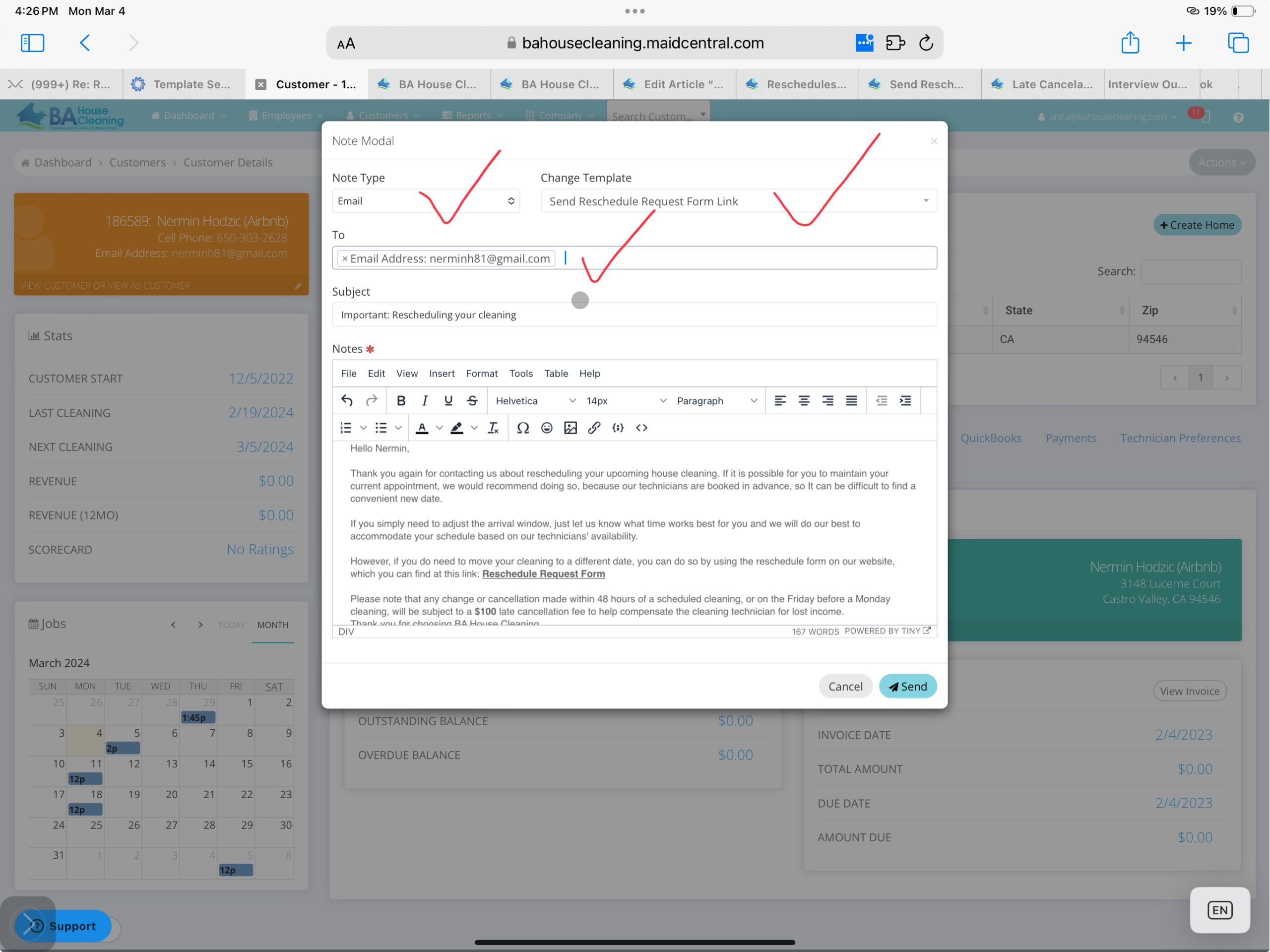
- Click on NOTES area of client profile (right hand corner and send the email)
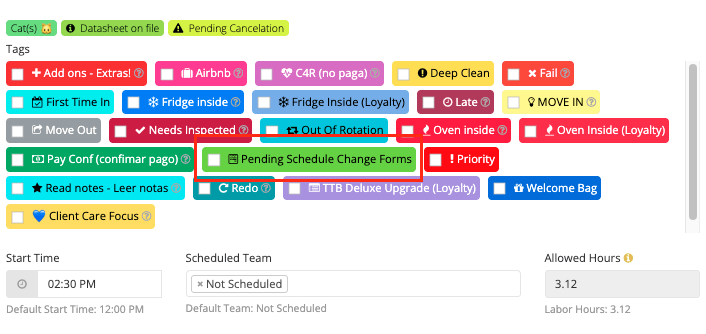
- Add the tag for “Pending Schedule Change Forms”.
FOLLOW UP TEXT AFTER PHONE CONVERSATION IF CUSTOMER STILL WANTS TO CHANGE DATE
Hello,
Thank you for contacting us about your upcoming house cleaning. To change this appointment date, please use the reschedule form on our website: https://bahousecleaning.com/reschedule/ Please note that any change or cancellation made within 48 hours of a scheduled cleaning, or on the Friday before a Monday cleaning, will be subject to a $100 late cancellation fee to help compensate the cleaning technician for lost income.
Thank you for choosing BA House Cleaning,