
Office Resources
Download Quickbooks PDF Invoice via MC
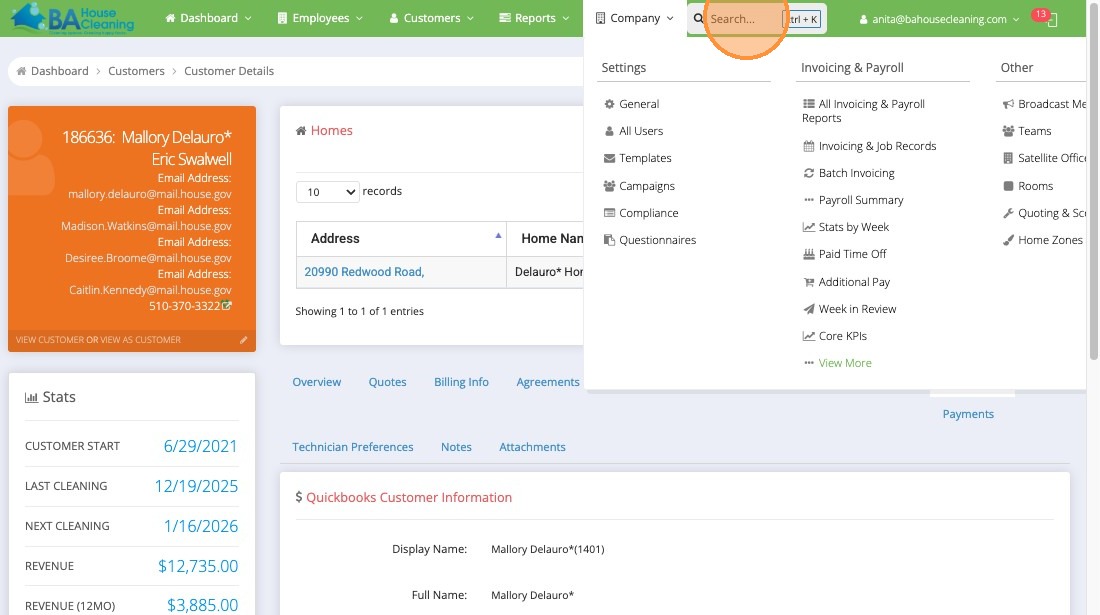
1. Open Maid Central Click “Search…”
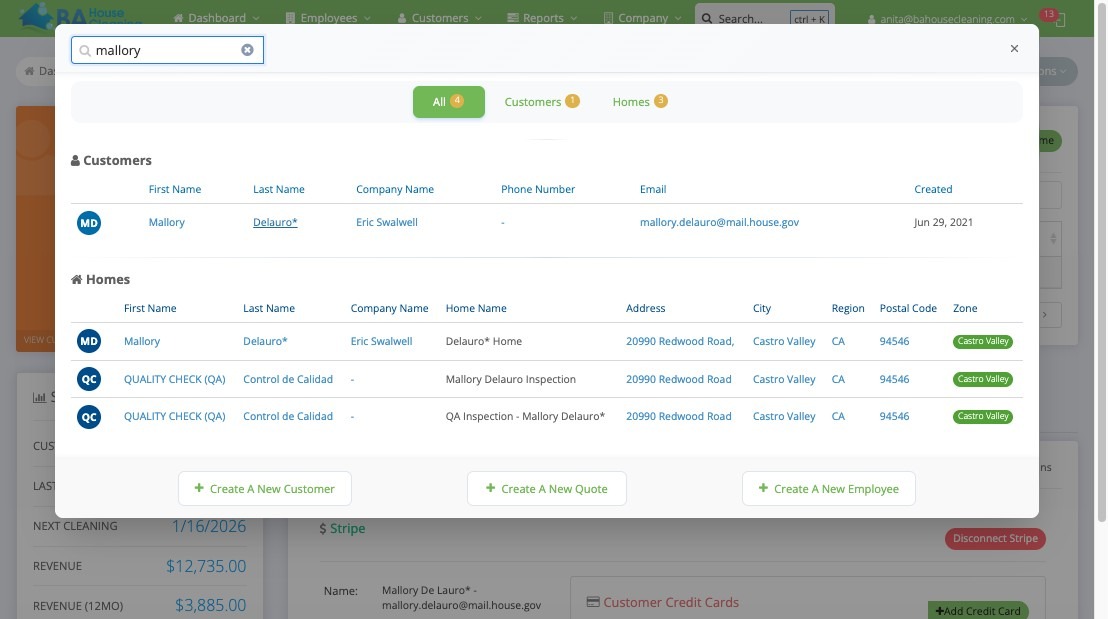
2. Type “mallory” or customer name
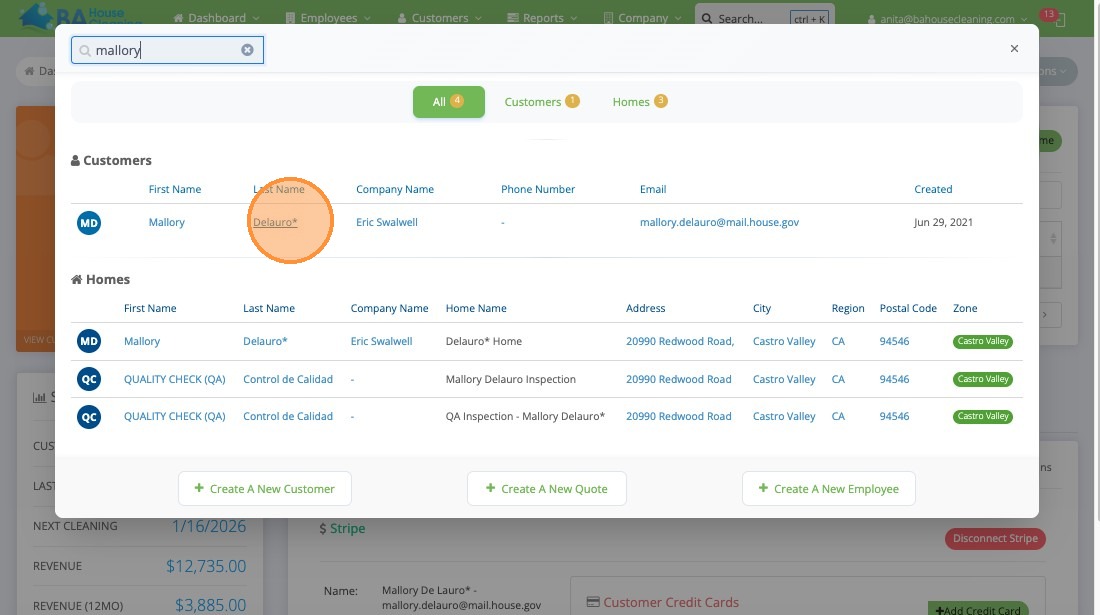
3. Click on customer name
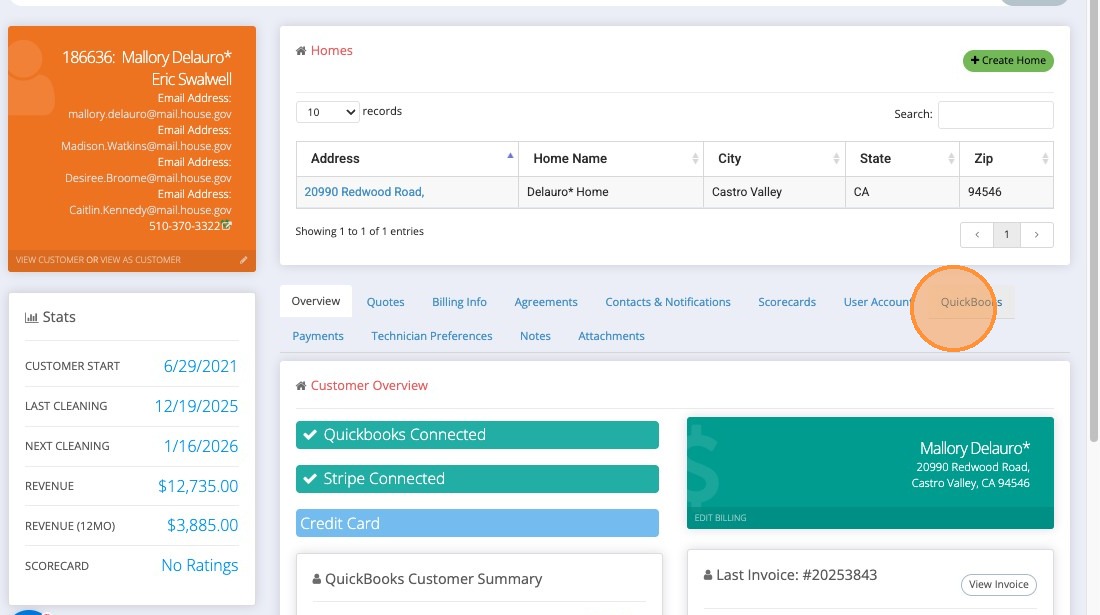
4. Click “QuickBooks”
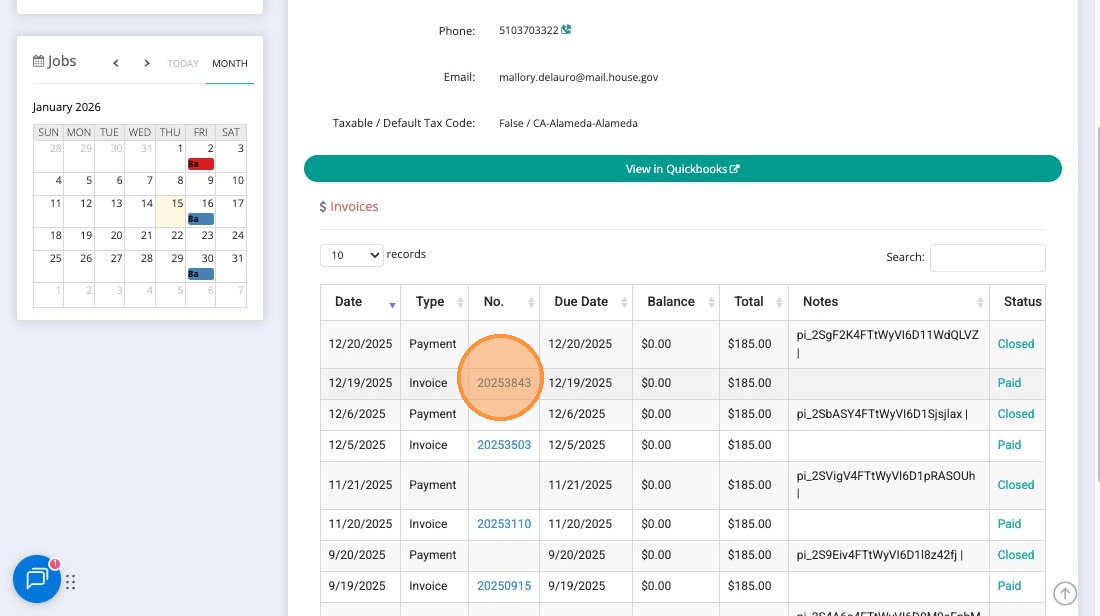
5. Right-click “invoice number” to open invoice in new tab
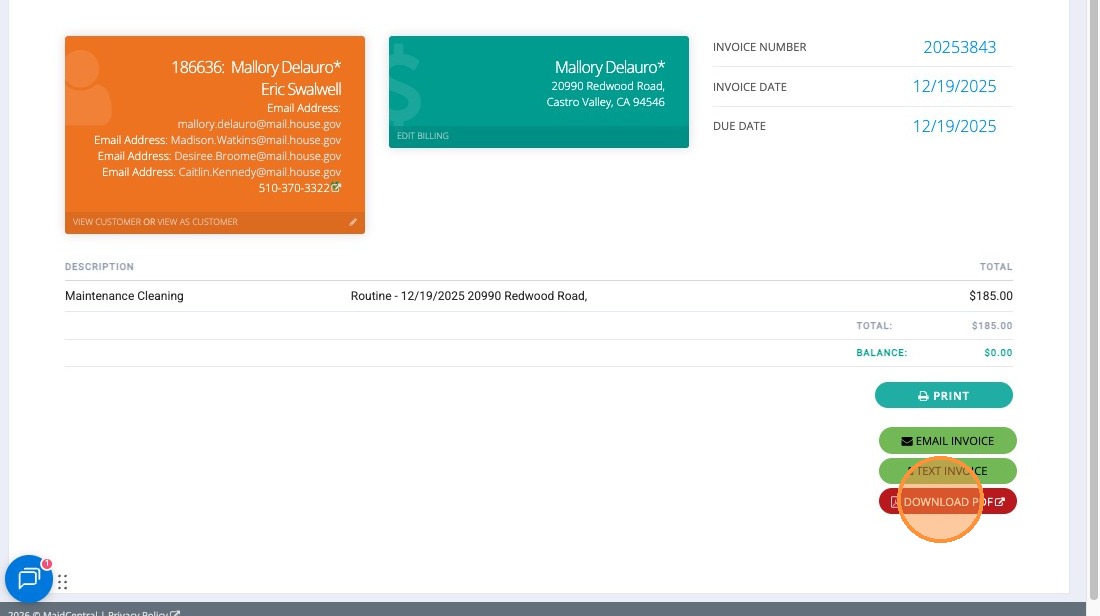
6. Click “Download PDF”
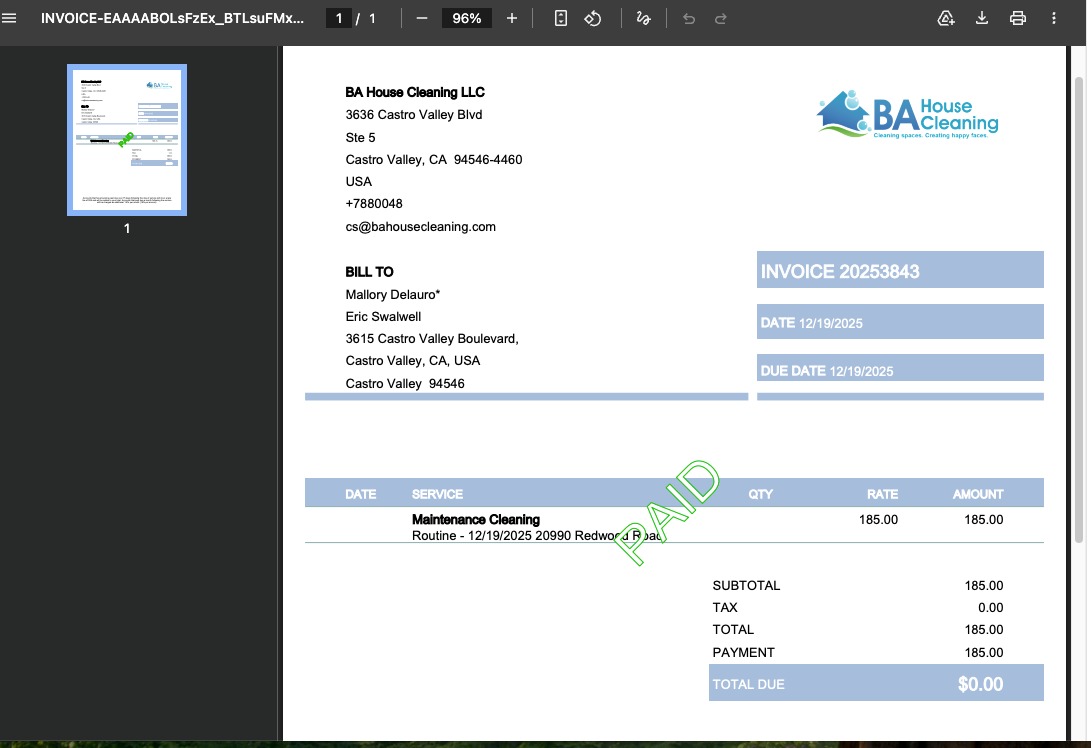
7. A PDF will be downloaded which you can attach and send to client if needed.
VIDEO: