
BizX Charges
Step 1: Go to: https://bahousecleaning.maidcentral.com/Payroll
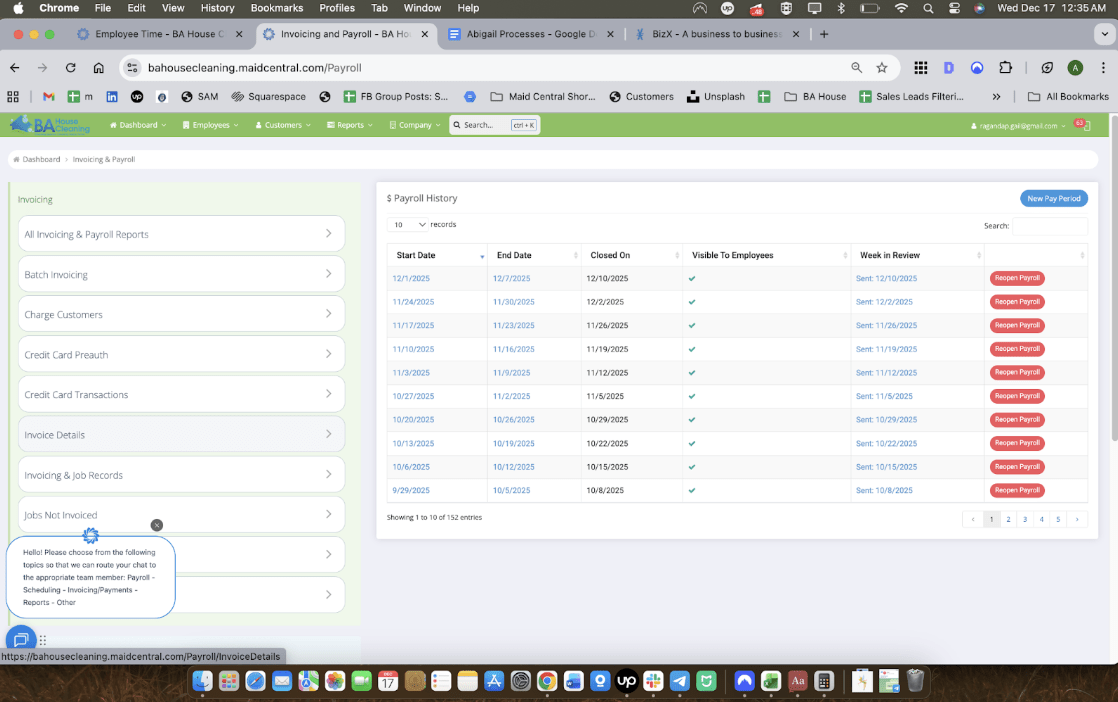
Step 2: Select “Invoice Details”
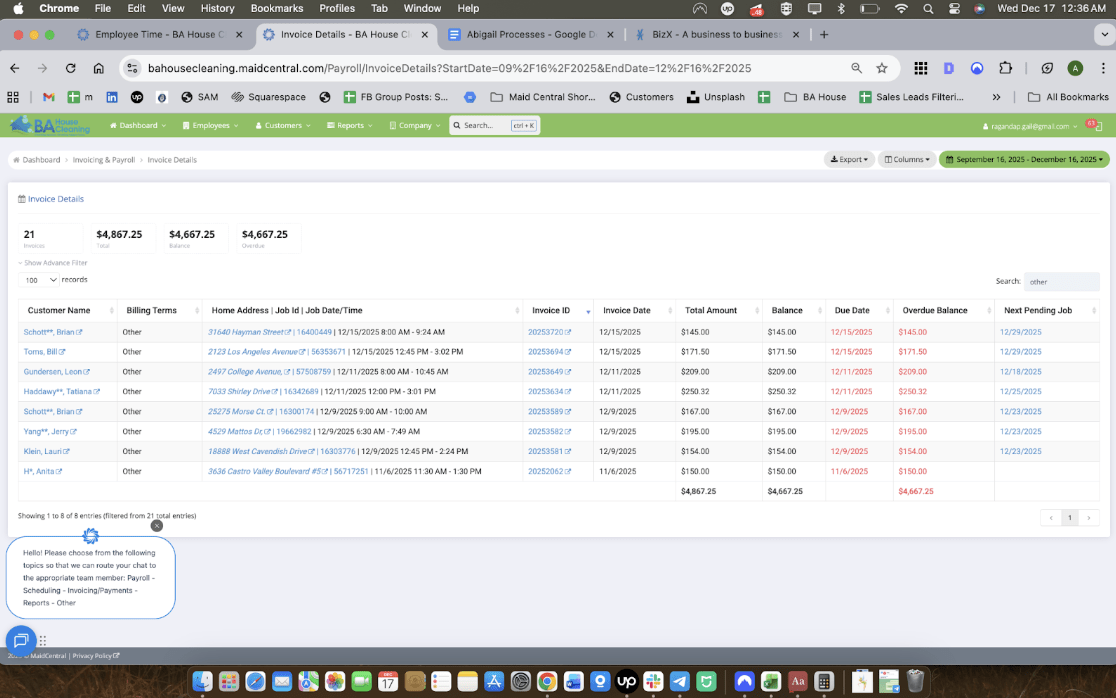
Step 3: Type “others” through the search filter. This will show us the list of clients with different payment methods, scour them 1 by 1 to see if they are paying using BizX.
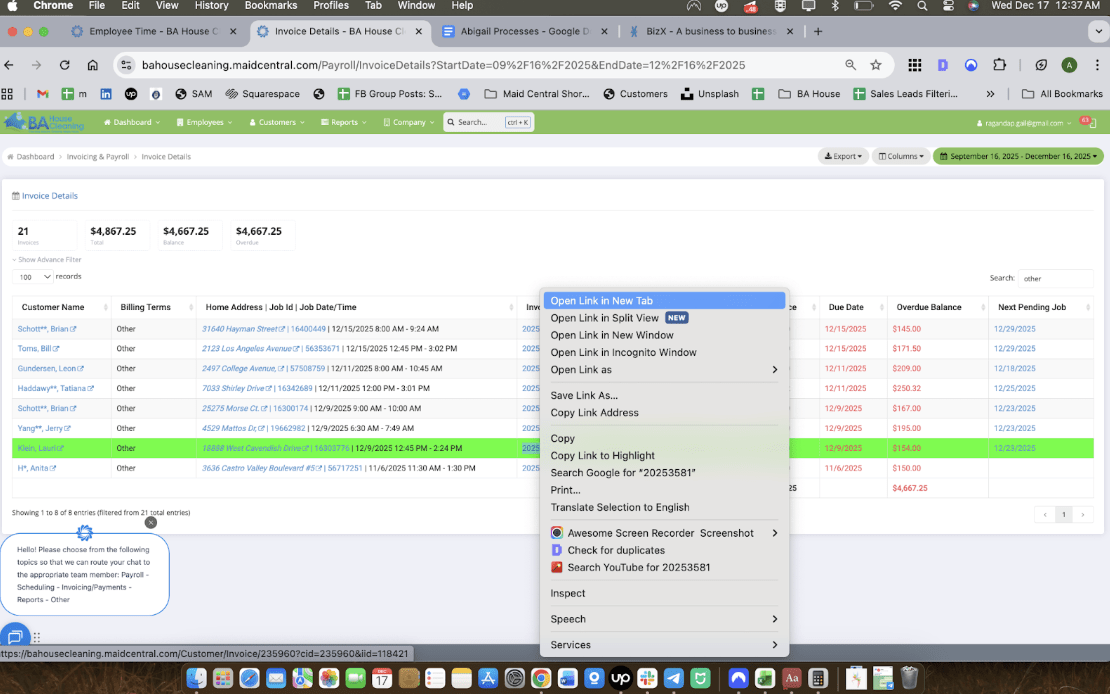
Step 4: Open their “Invoice ID” links in a new tab
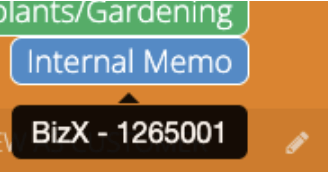
Step 5: In the tab that opened for Invoice ID, you can see the payment method of the client when hovering the pointer over “Internal Memo” Here you can also find the BizX number
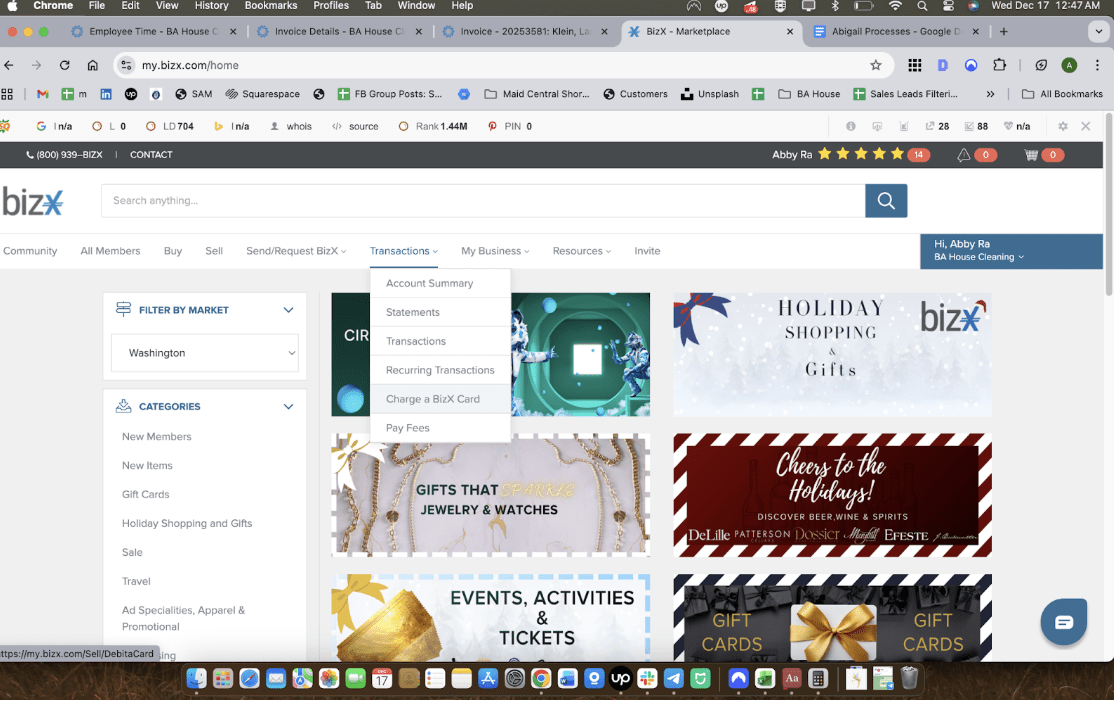
Step 6: In a separate tab, Go to BizX and login, go to Transactions > Charge a BizX Card
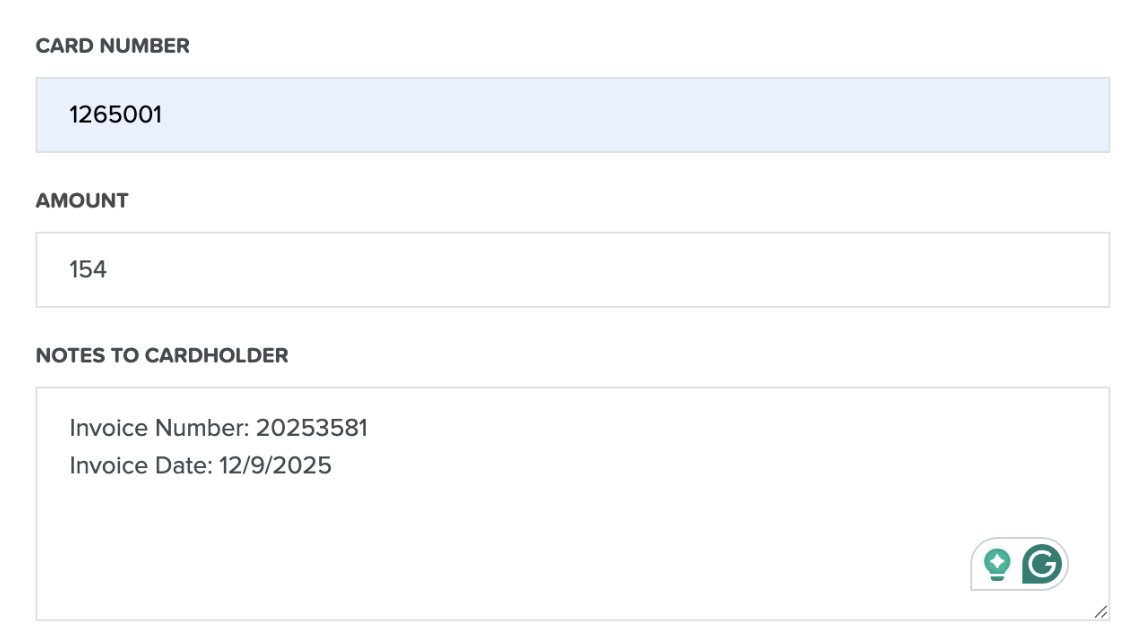
Step 7: Enter Details of the client as such note that we only need the first 7 digits of the card number to charge a BizX Account
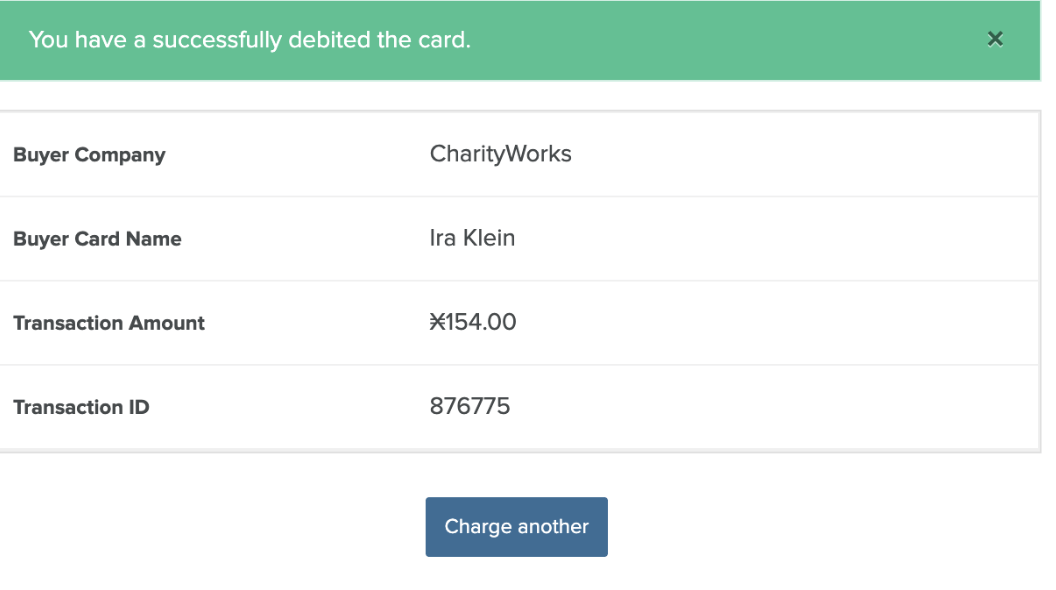
Step 8: Copy the Transaction ID
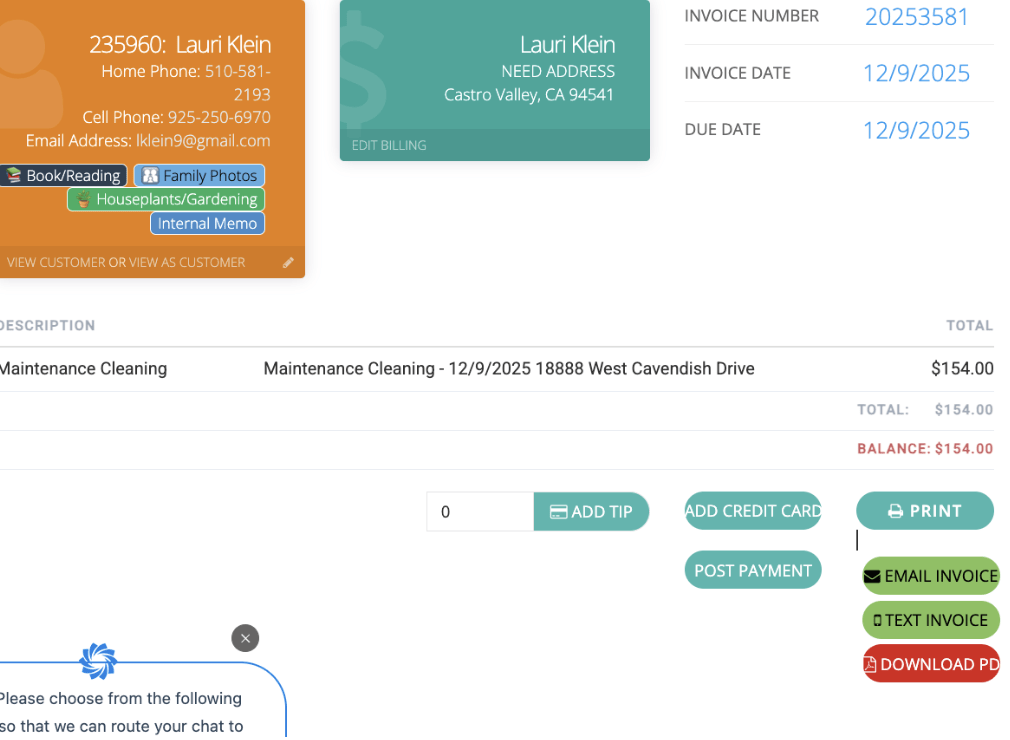
Step 9: Click “Post Payment”
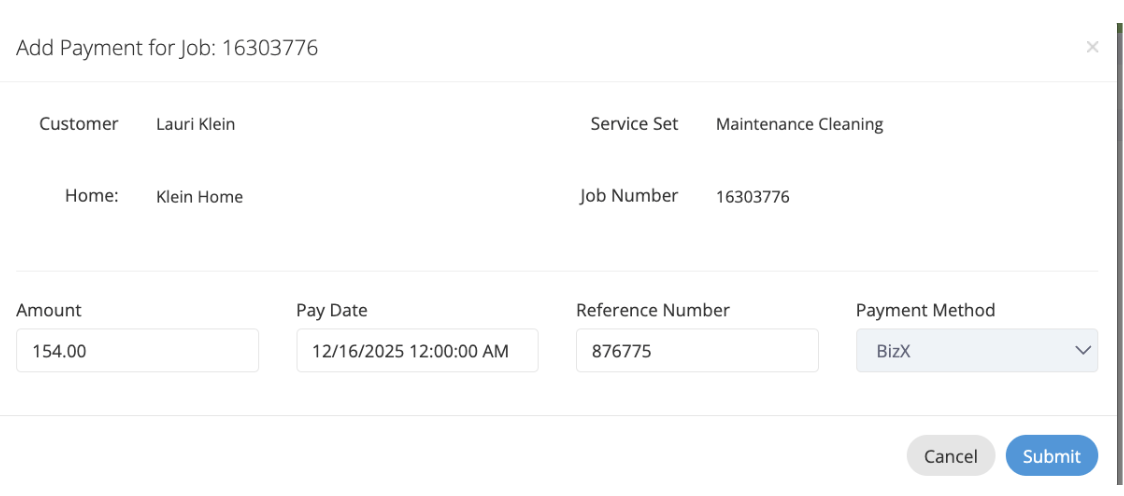
Step 10: Paste the Transaction ID as the Reference Number. Select BizX as the Payment Method. Then Click Submit.