
Office Resources
< All Topics
Print
Retention + CRIS Process
Posted
Updated
Byadmin
0 out of 5 stars
| 5 Stars | 0% | |
| 4 Stars | 0% | |
| 3 Stars | 0% | |
| 2 Stars | 0% | |
| 1 Stars | 0% |
Purpose
The Client Retention System (CRS) ensures every client considering canceling recurring service receives a thorough review before their account is canceled. Our goal is to understand the client’s concerns, resolve issues whenever possible, and accurately document every outcome.
Success Goals
- Resolve every retention case within 3 business days.
- Speak directly with the client in 90% or more of retention cases.
- Understand the client’s true reason for canceling before processing the cancellation.
- Whenever new information is learned from the client, immediately use the “Re-Analyze with New Info” feature. The updated analysis may recommend a better retention strategy or program that was not identified during the initial analysis.
- Document every interaction, including calls, voicemails, texts, emails, and notes.
- Never process a cancellation without proper documentation.
Step 1 – Run the CRS Analysis
When a client expresses any intention to discontinue recurring service (cancel, pause, reduce frequency, etc.):
- Open the client’s account.
- Run the CRS Analysis.
- Review the AI Summary, Save Score, Follow-Up Recommendation, and Recommended Programs.
Training Resource video:
Step 2 – Call the Client
Our goal is to speak with the client and better understand their situation.
During the conversation:
- Listen first.
- Ask open-ended questions.
- Understand the true reason for canceling.
- Document everything learned.
Do not assume the initial CRS analysis has the complete picture.
Step 3 – If the Client Doesn’t Answer
If the client does not answer:
- Leave a warm, professional voicemail.
- Immediately send a follow-up text message.
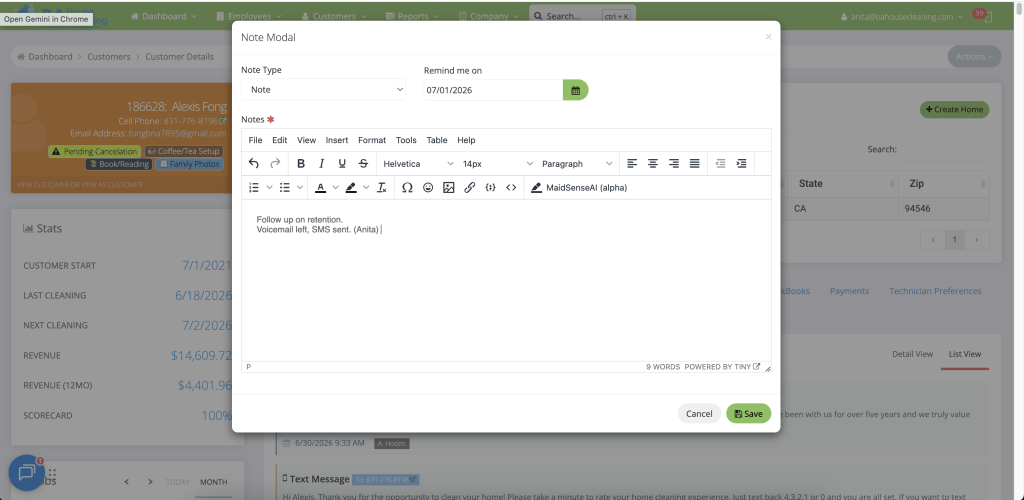
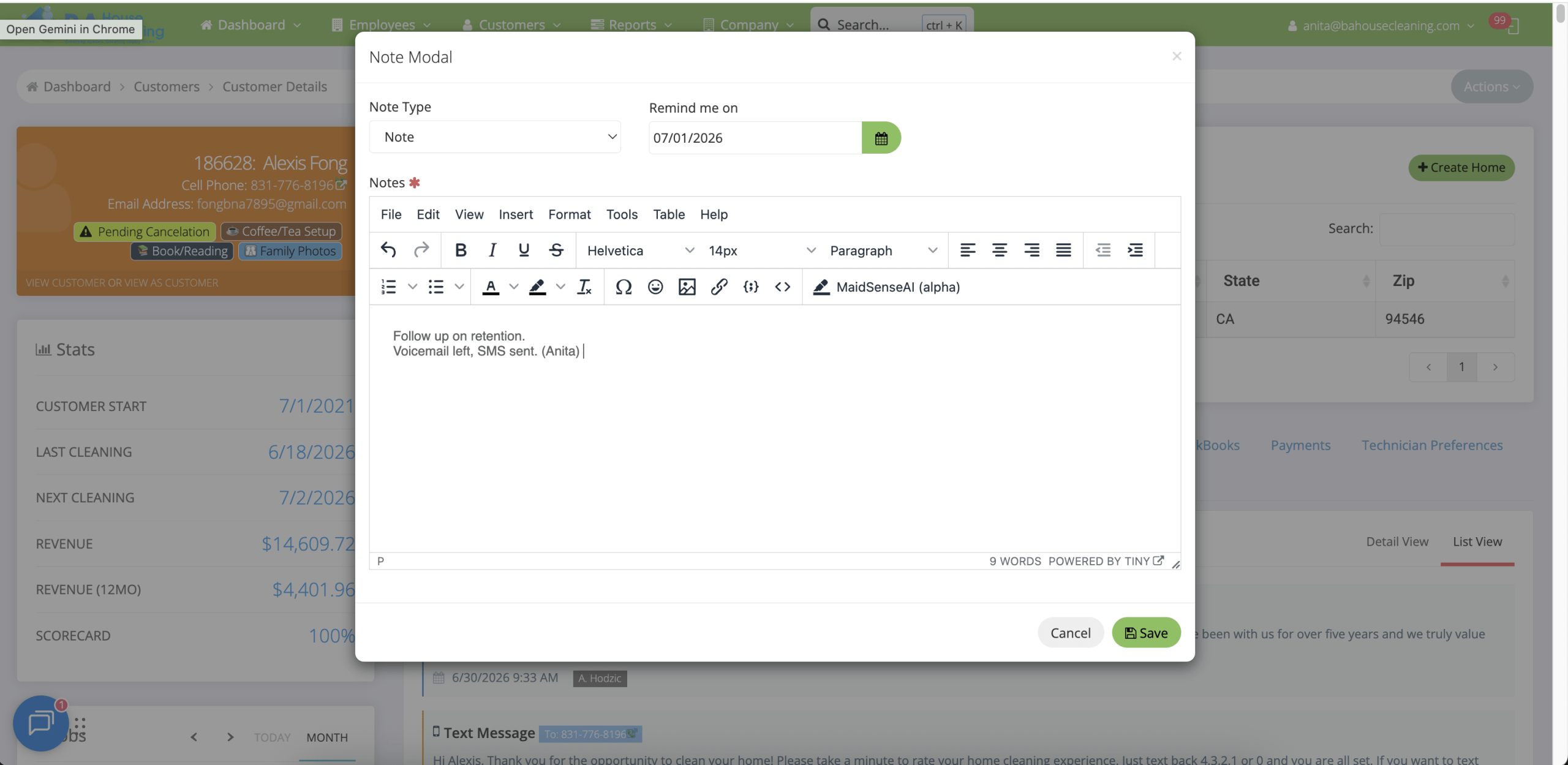
- Create a follow-up reminder in MaidCentral.
Training Resources:
- 🎧 Voicemail recording
- 📷 Ccreenshot showing how to create a follow-up reminder.
Continue following up until:
- You speak with the client, or
- Three business days have passed.
Step 4 – Create a Follow-Up Reminder
Every unresolved retention case requires a follow-up reminder.
The reminder should include:
- Date