
Office Resources
< All Topics
Print
Approving Cleaning Technician Time Off Requests in MC
Posted
Updated
Byadmin
0 out of 5 stars
| 5 Stars | 0% | |
| 4 Stars | 0% | |
| 3 Stars | 0% | |
| 2 Stars | 0% | |
| 1 Stars | 0% |
Objective
To ensure a smooth process for handling Cleaning Technician (CT) time off requests while maintaining high customer satisfaction.
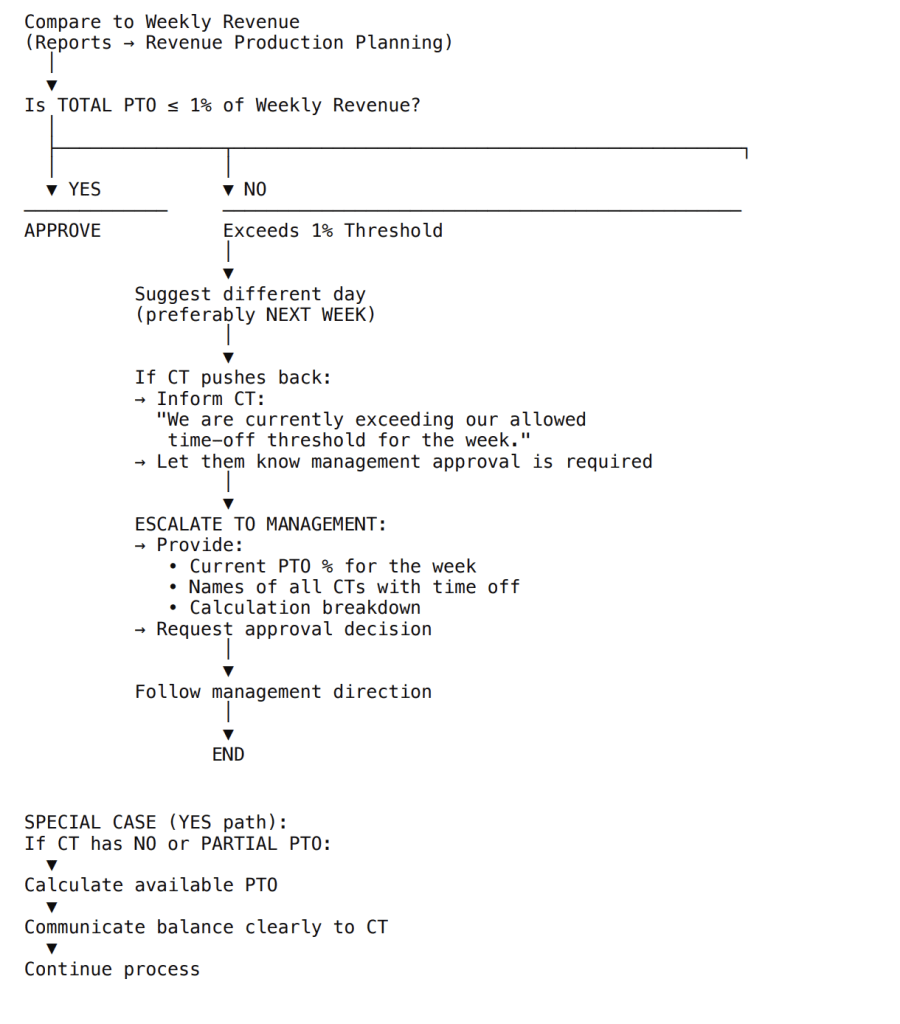
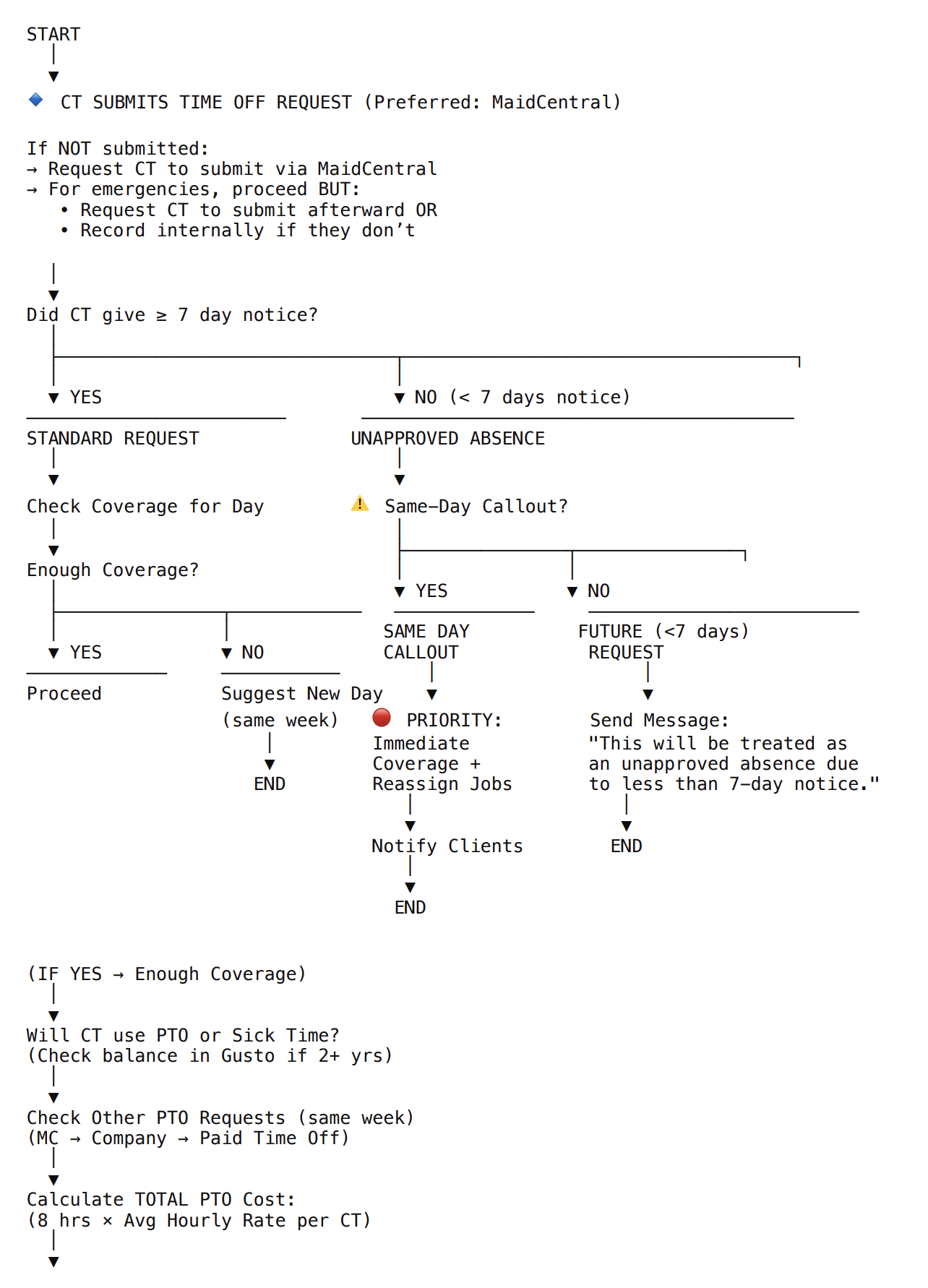
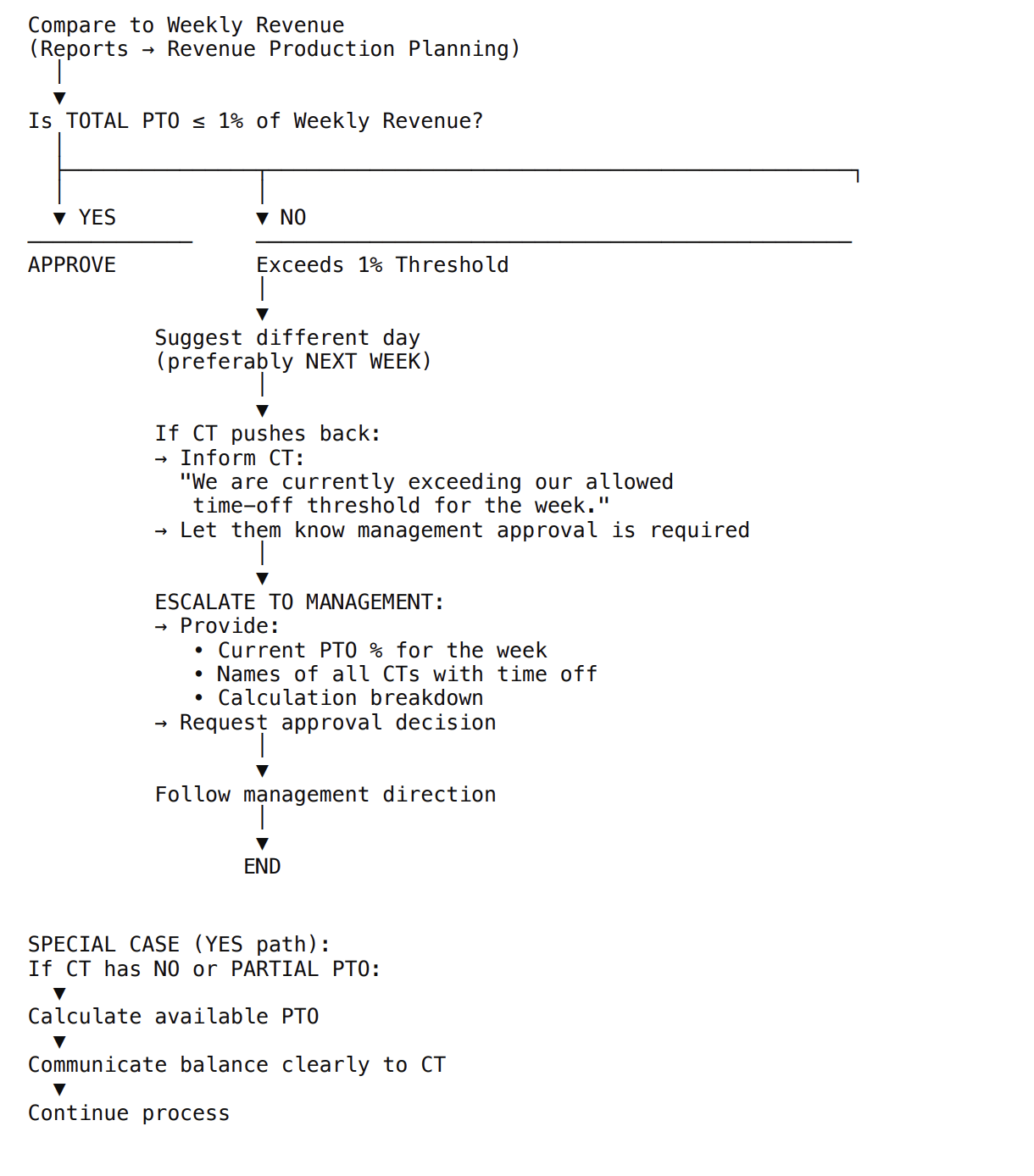
Part 1: The request Approval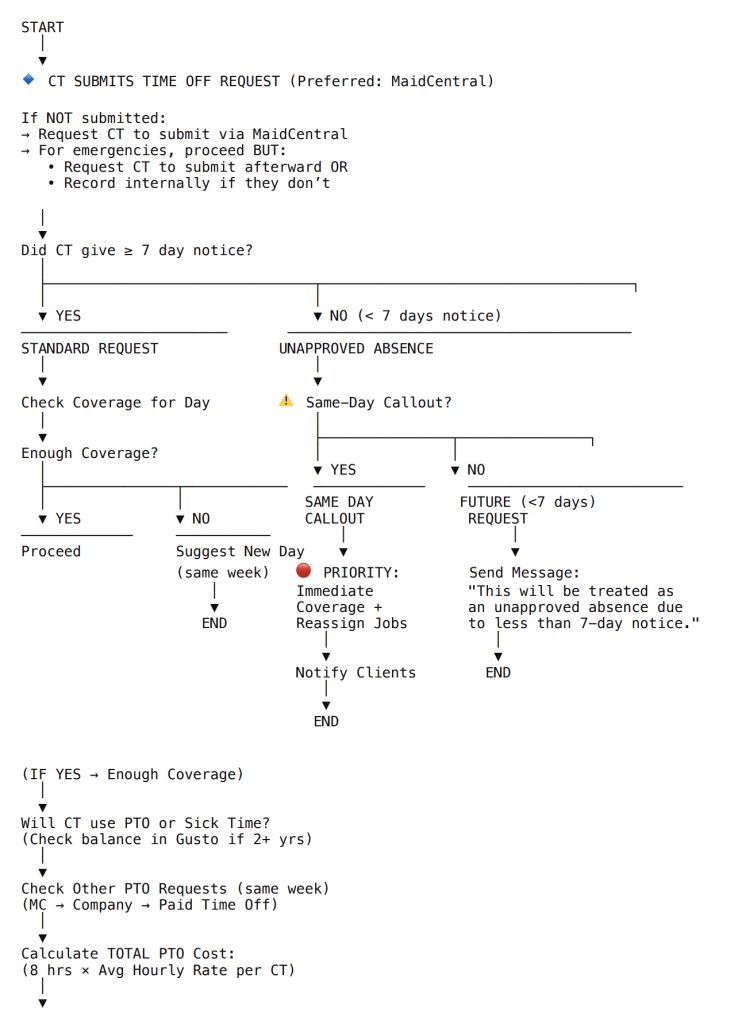
Part 2: Job Reschedules and Reassignments
- Review Client’s Home Zone and Preferred Time of Arrivals
- Carefully examine the client’s home zone and their preferred time of arrivals.
- This information is crucial for rescheduling and ensuring client satisfaction.
- Verify CT Preference for Each Job
- Check client profile info if there is a CT preference.
- If there is a preference:
- Use the “Preferred Tech Not Available” text template in MaidCentral (MC) to notify the client.
- Fill in the template with the specific details.
- Example template message: “Dear [Client Name], unfortunately, your preferred technician [Tech Name] will not be available on [Date]. We will assign another qualified technician to ensure the quality of your service.”
- Check Client History
- If there is no CT preference, review the client’s history for the last 10 jobs.
- If the same CT has always serviced the client:
- Notify the client out of courtesy, even if there is no explicit CT preference.
- Example message: “Dear [Client Name], we wanted to inform you that [Tech Name], who has serviced your home in the past, will not be available on [Date]. We will assign another qualified technician to your job.”
- Reassign Jobs
- If the client has had different CTs:
- Try to move the job to one of the CTs who have previously serviced the client. This helps maintain familiarity and comfort.
- Update the job schedule in MC accordingly.
- If the client has had different CTs:
Important Notes
- Always ensure that clients are informed promptly and courteously about any changes in their service.
- Maintain detailed records of communications and job rescheduling in MC for future reference.
By following these steps, we can effectively manage CT time off requests while ensuring minimal disruption to our clients’ service and maintaining high satisfaction levels.
Was this article helpful?
0 out of 5 stars
| 5 Stars | 0% | |
| 4 Stars | 0% | |
| 3 Stars | 0% | |
| 2 Stars | 0% | |
| 1 Stars | 0% |
5