Office Resources
How To Update The Safety Course
How To Update The Safety Course
1. Go to GHL (Anita Automates): https://app.gohighlevel.com/v2/location/NwAq3Y2AXVLf9V94uUf3/dashboard
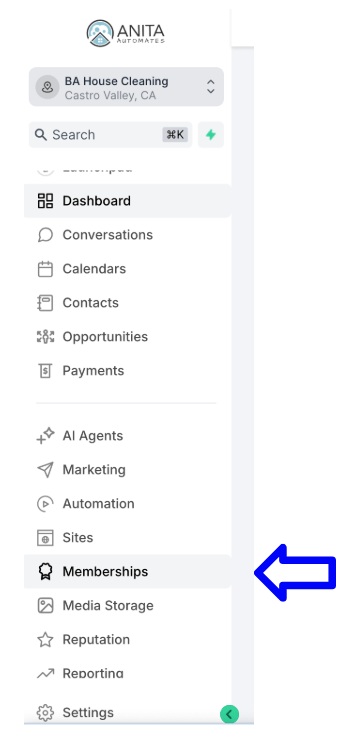
2. Select Memberships from the menu on the left.
4.
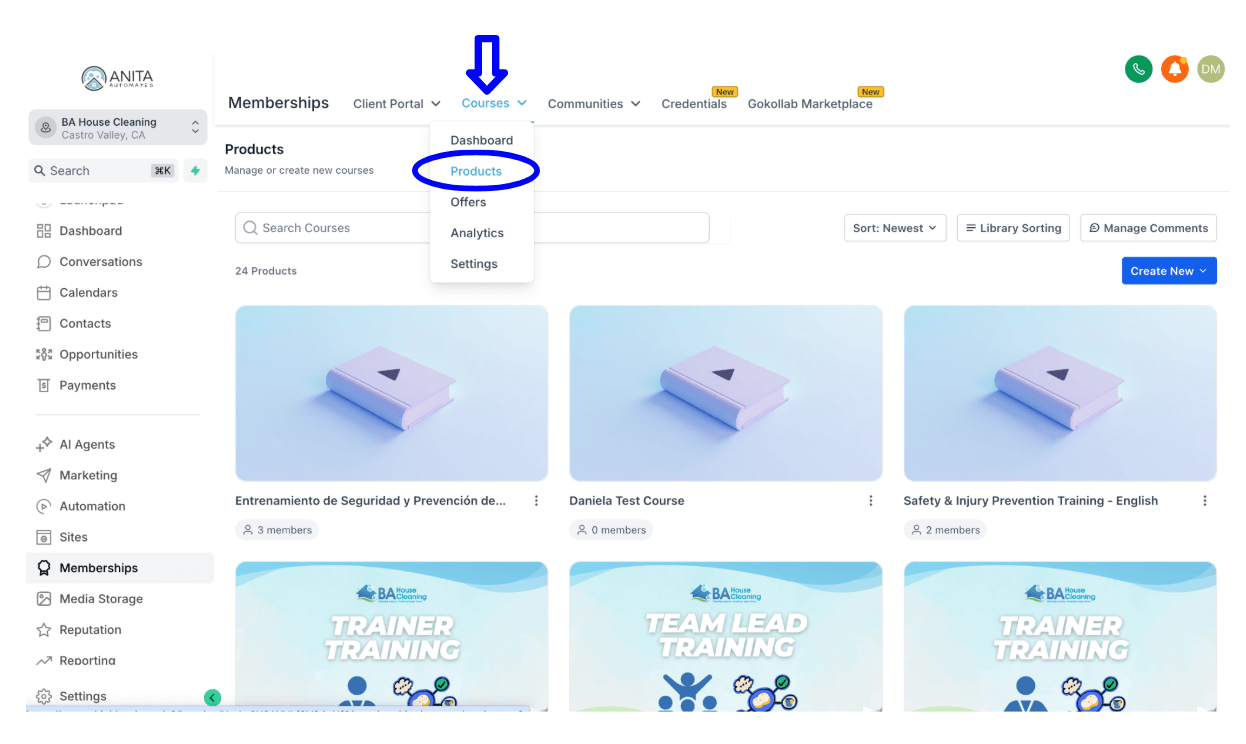
3. Go to Courses → Products from the top menu.
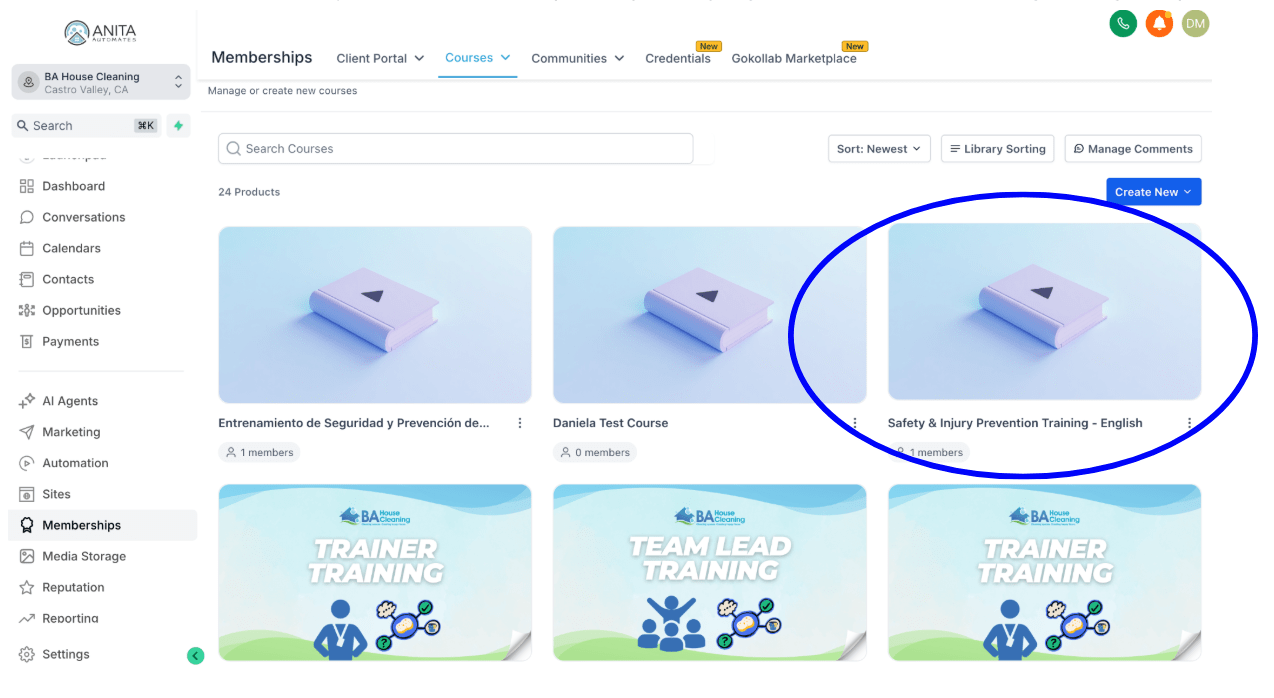
4. Select the course you want to edit (Safety & Injury Prevention Training – English)
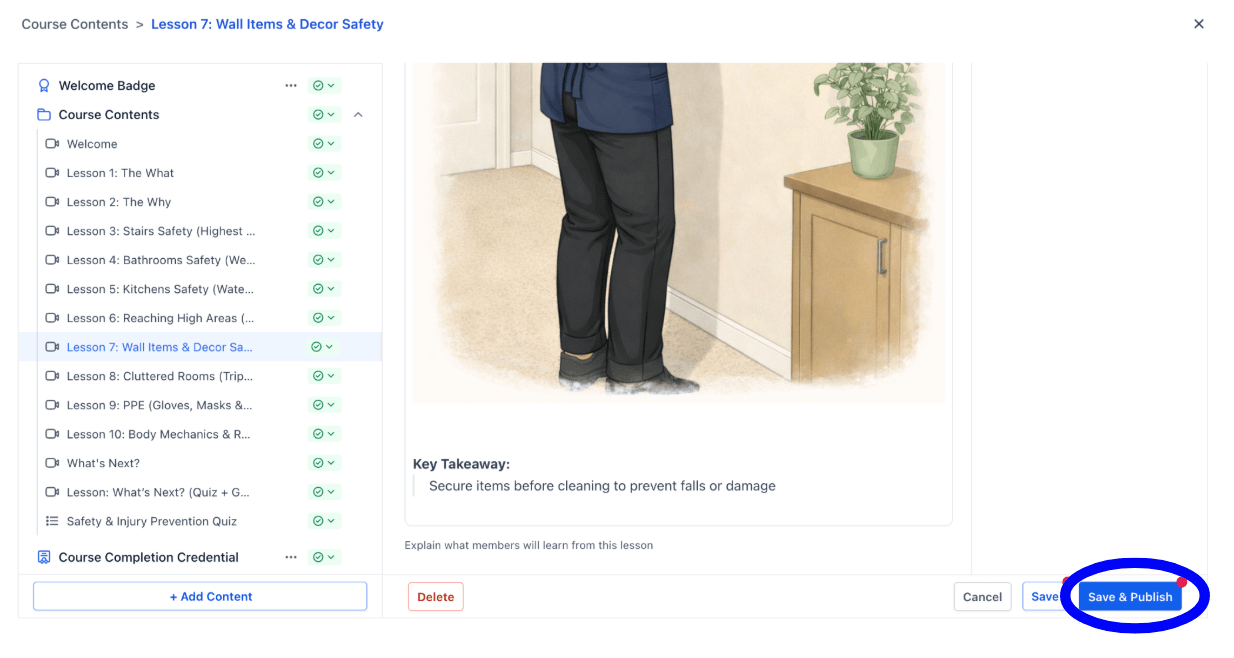
5. Hover over the section you want to edit and click the pencil icon.
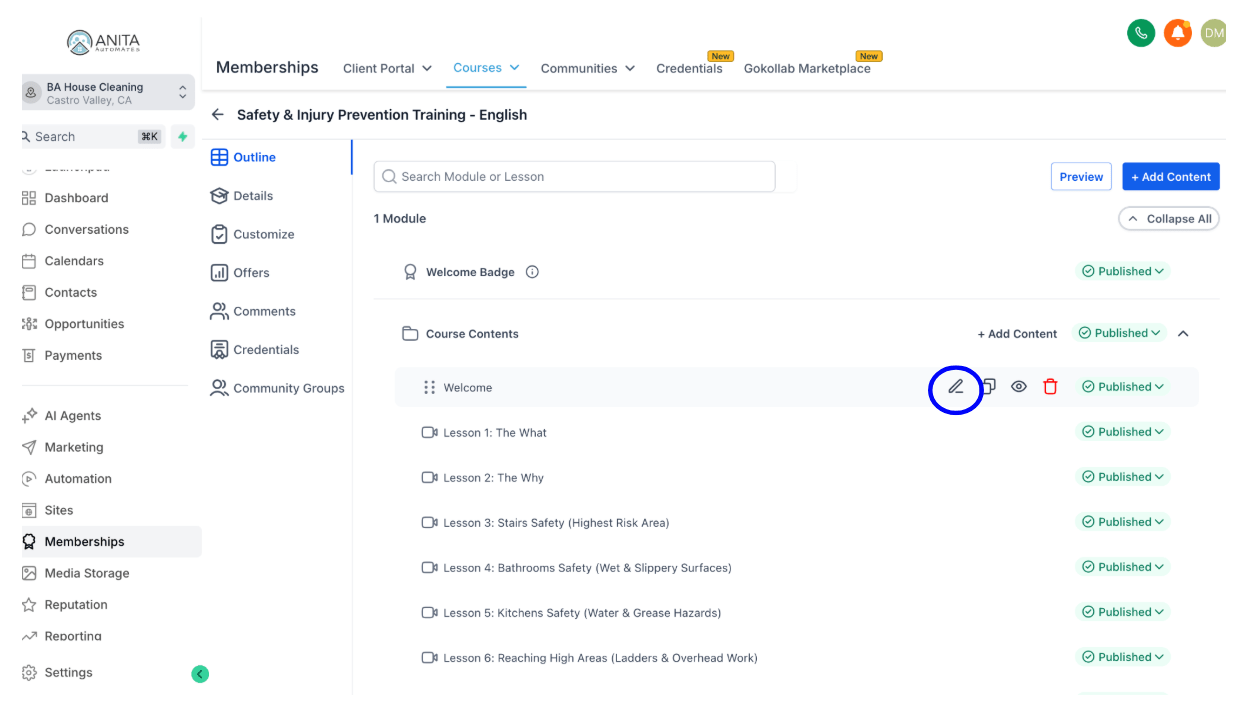
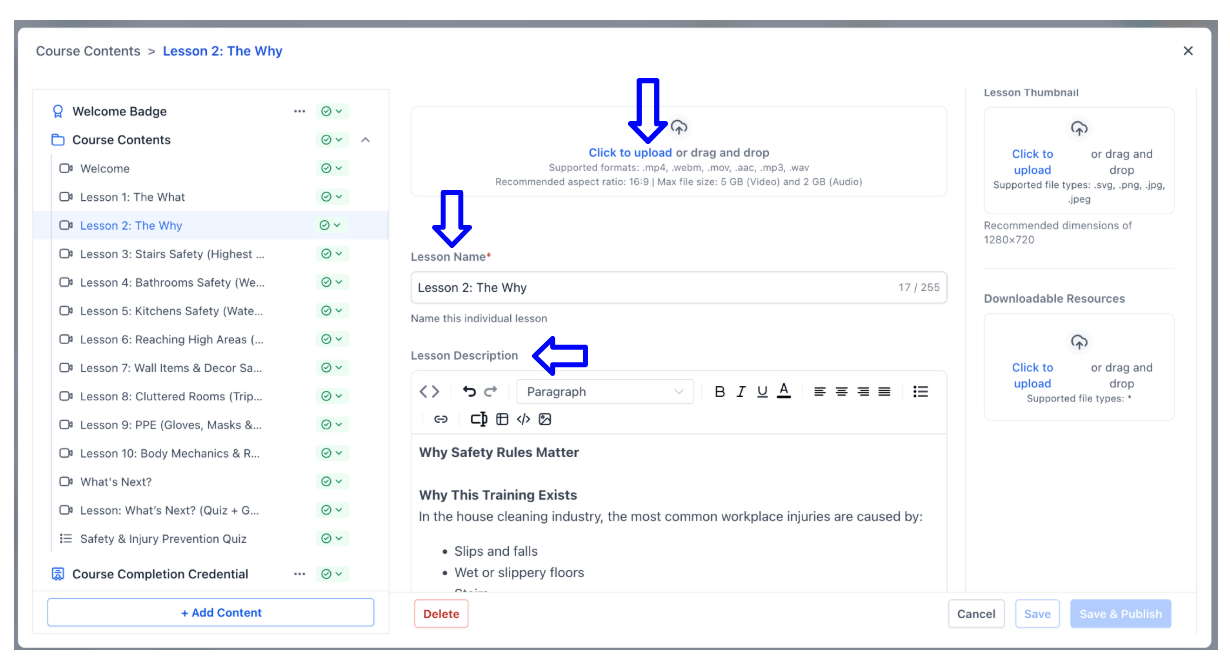
6. You can upload media, change the lesson name and description, and include anything you think is necessary to explain the lesson.
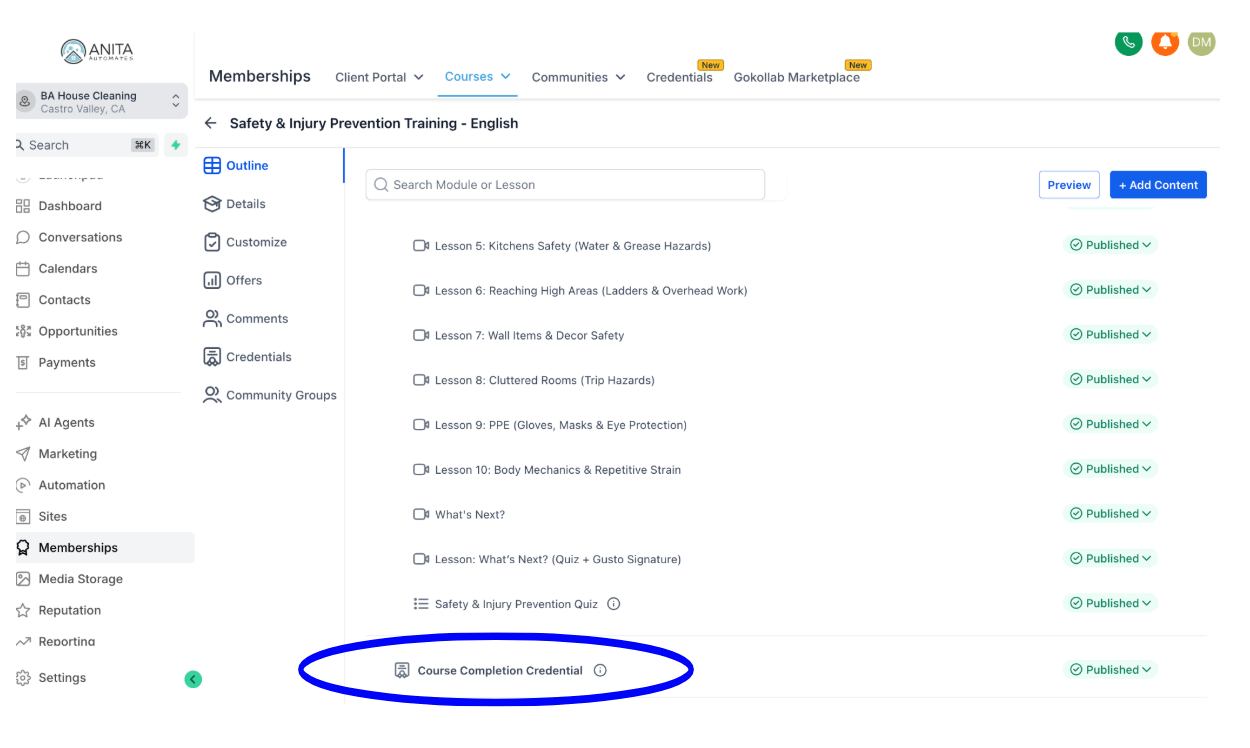
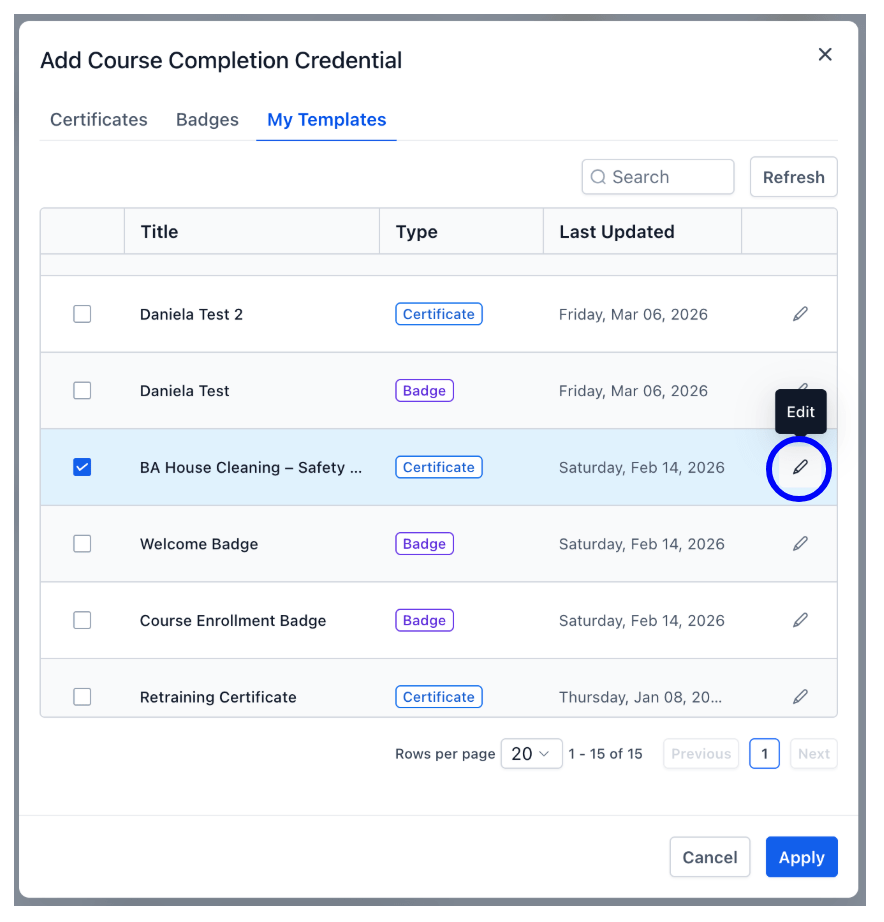
7. You can also edit the Welcome Badge or the Course Completion Credential by selecting it and clicking the pencil icon.
8. Make sure to Save & Publish after making any changes.