
Office Resources
How To Process a Cleaning Technician Termination in Gusto
1. Open the “Notice to Employee as to Change in Relationship” form for the Cleaning Technician and download it. You can find it in Slack in the #employee-relations-updates channel.
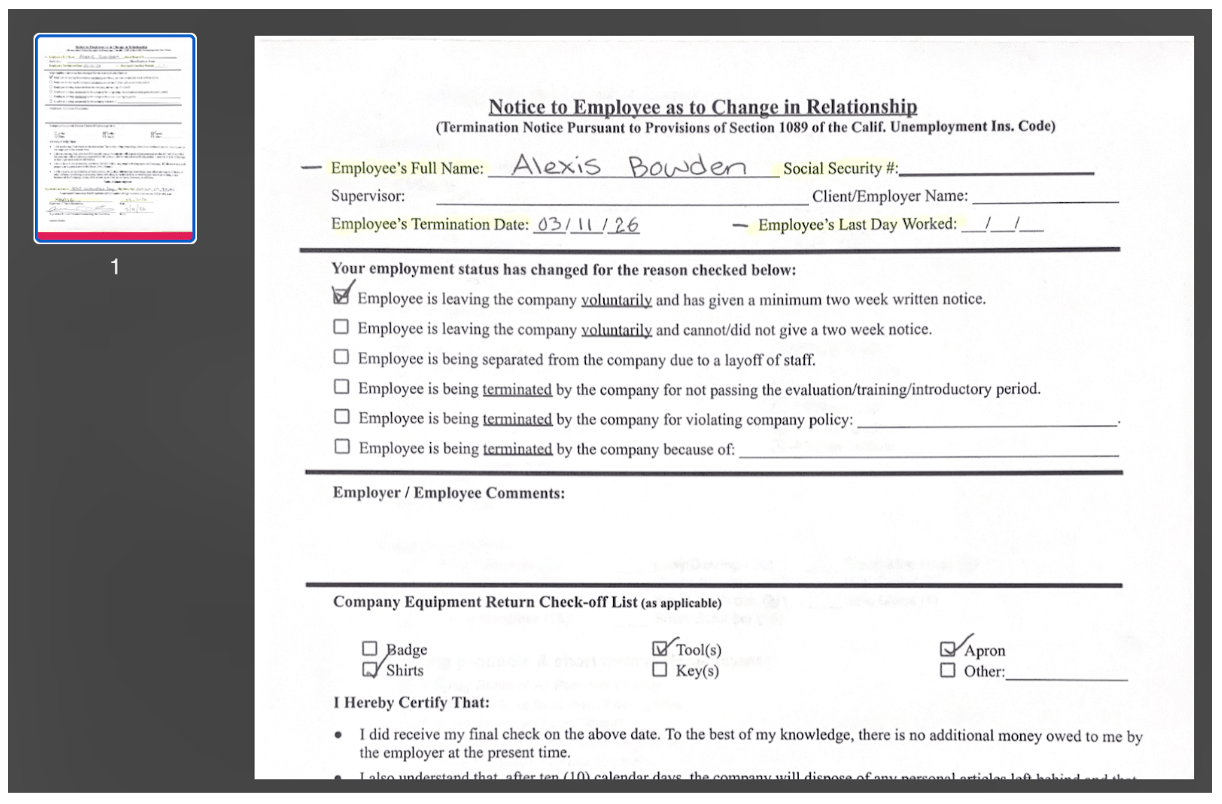
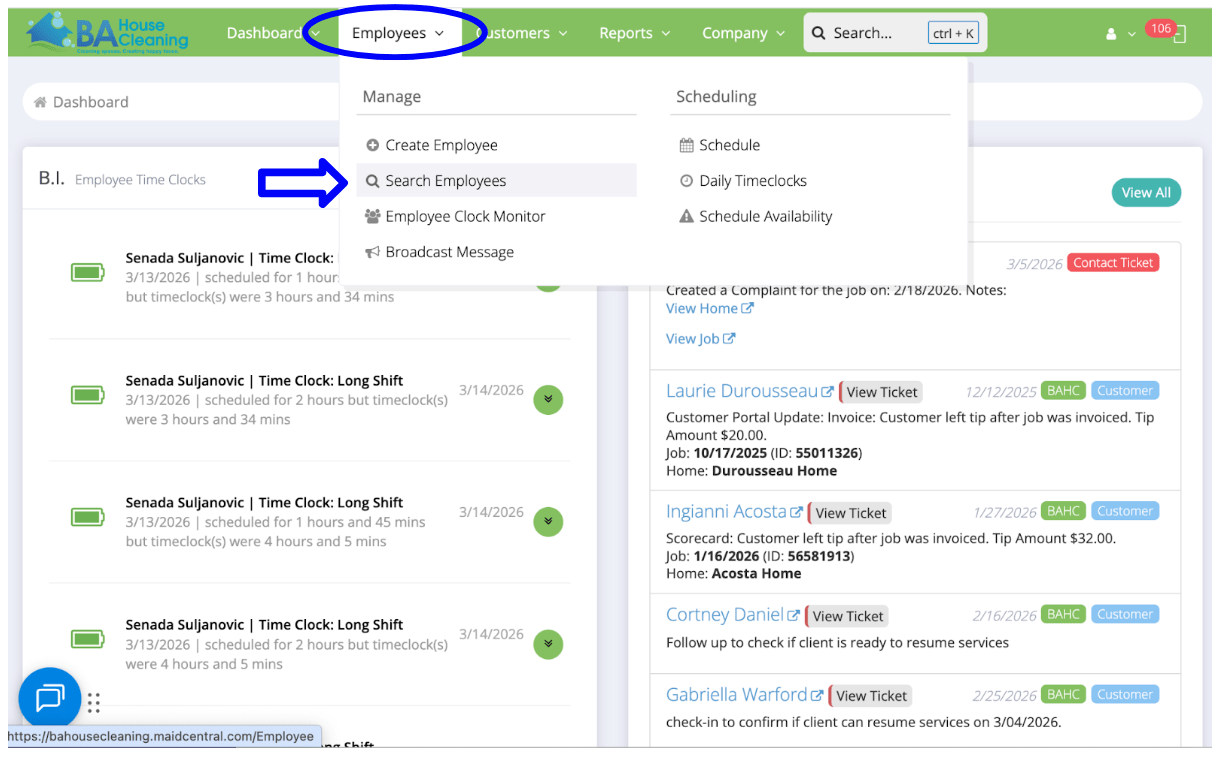
2. If no Employee’s Last Day Worked is stated, go to Employees in Maid Central and Search Employees.
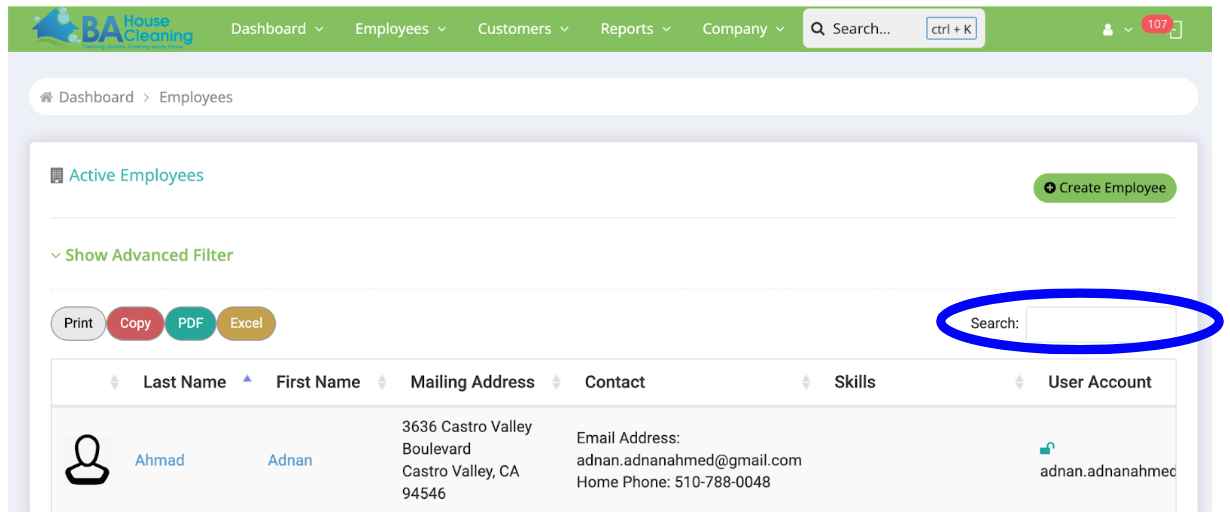
3. Look for the Cleaning Technician using the search bar.
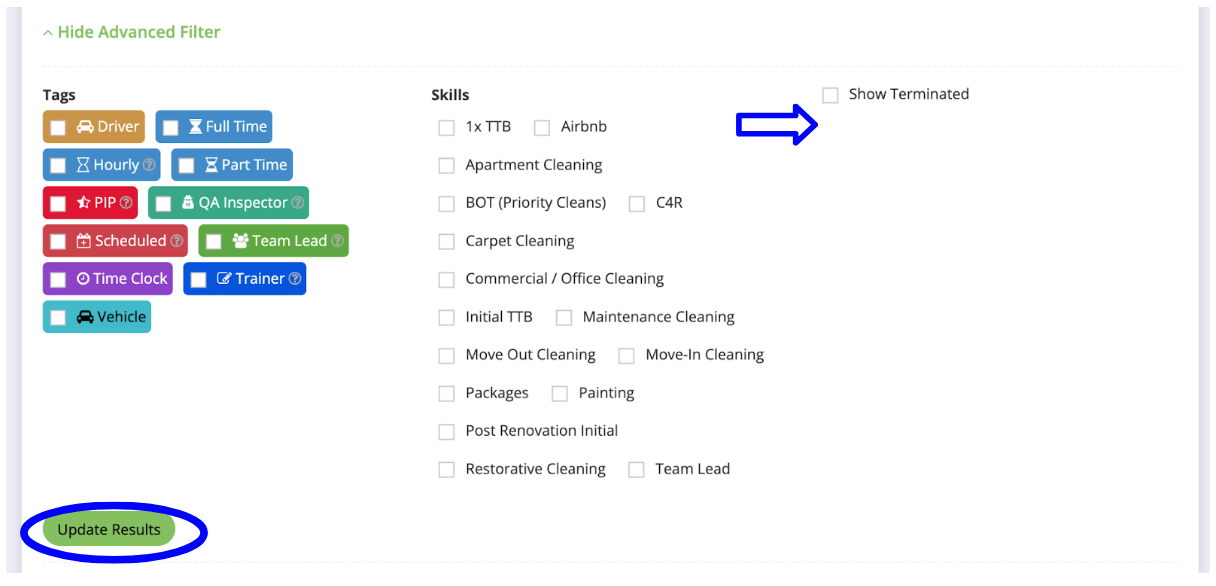
4. If his or her name doesn’t appear, select Show Advanced Filter.
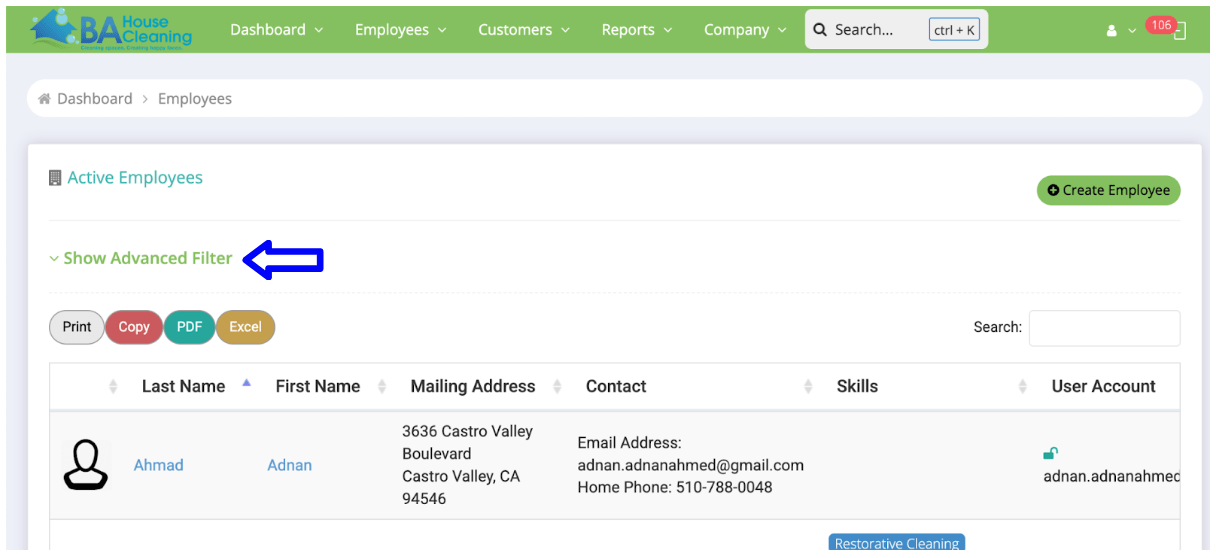
5. Mark Show Terminated, then select Update Results.
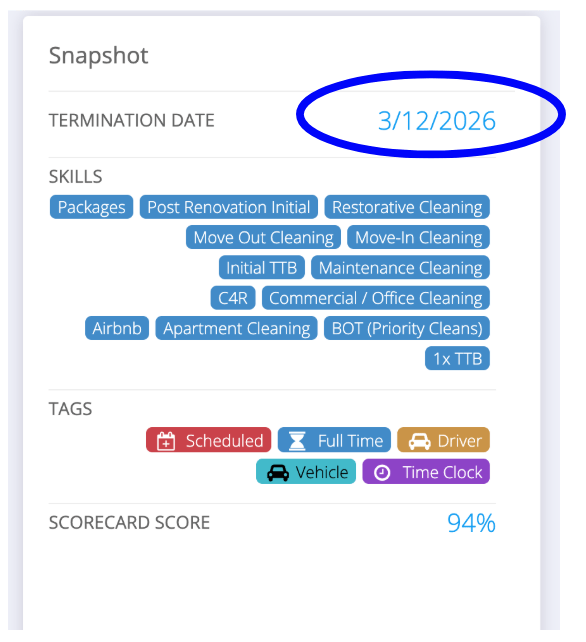
6. Select the Cleaning Technician and find the Termination Date on his/her profile.
7. Log into Gusto, select People, and then search for the Cleaning Technician.
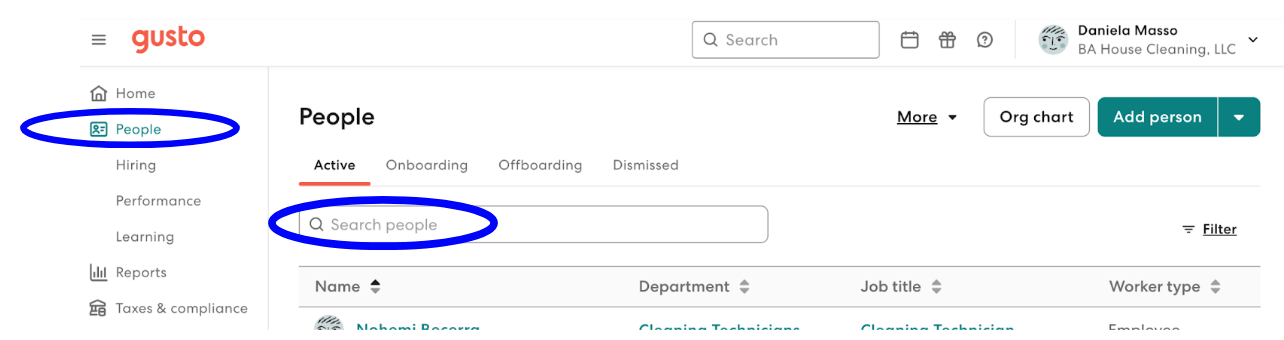
8. Open his or her pr