
Yearly Trainings in GHL – how to?
For yearly retraining, most recent up to date course must be duplicated and verify if any other updates need to be made.
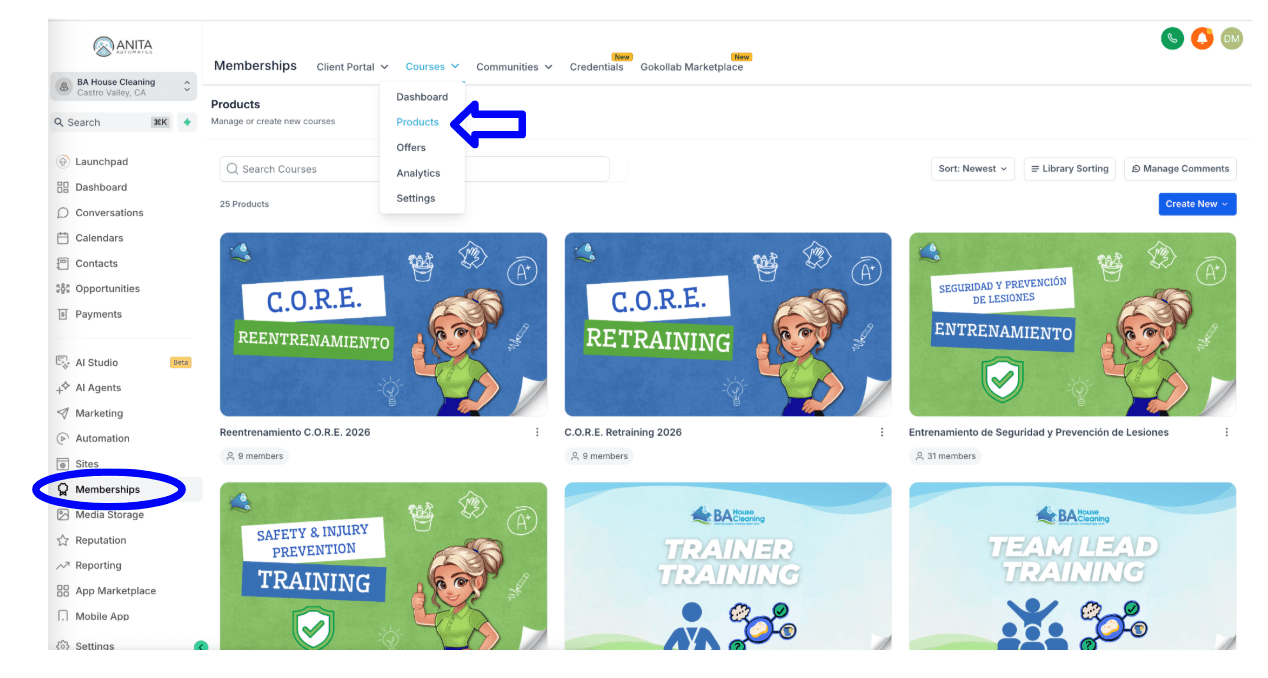
1. In GoHighLevel, go to Memberships > Courses > Products.
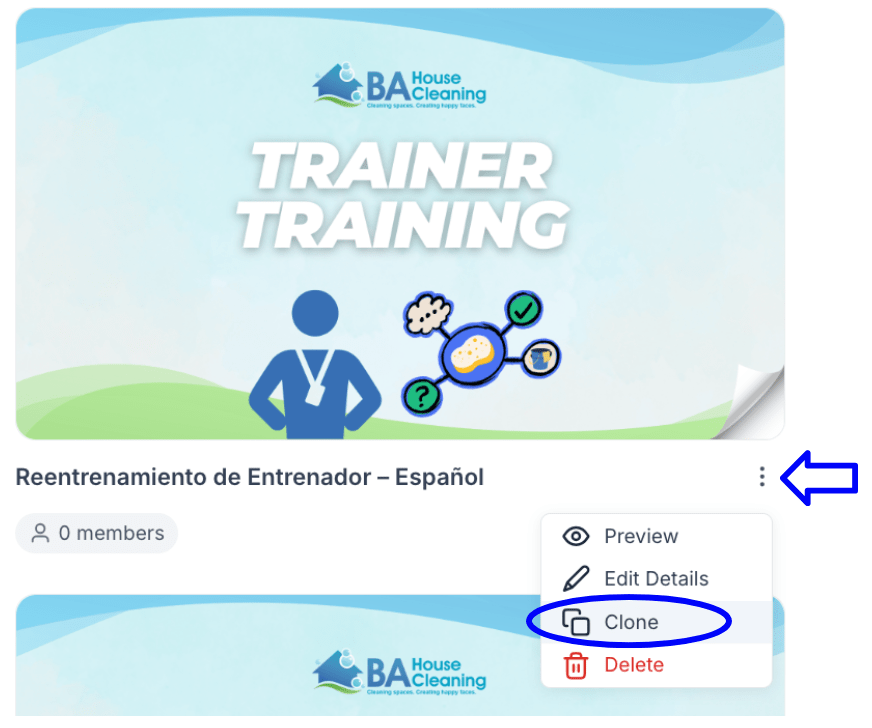
2. Select the three dots on the course you want to duplicate, then select “clone.”
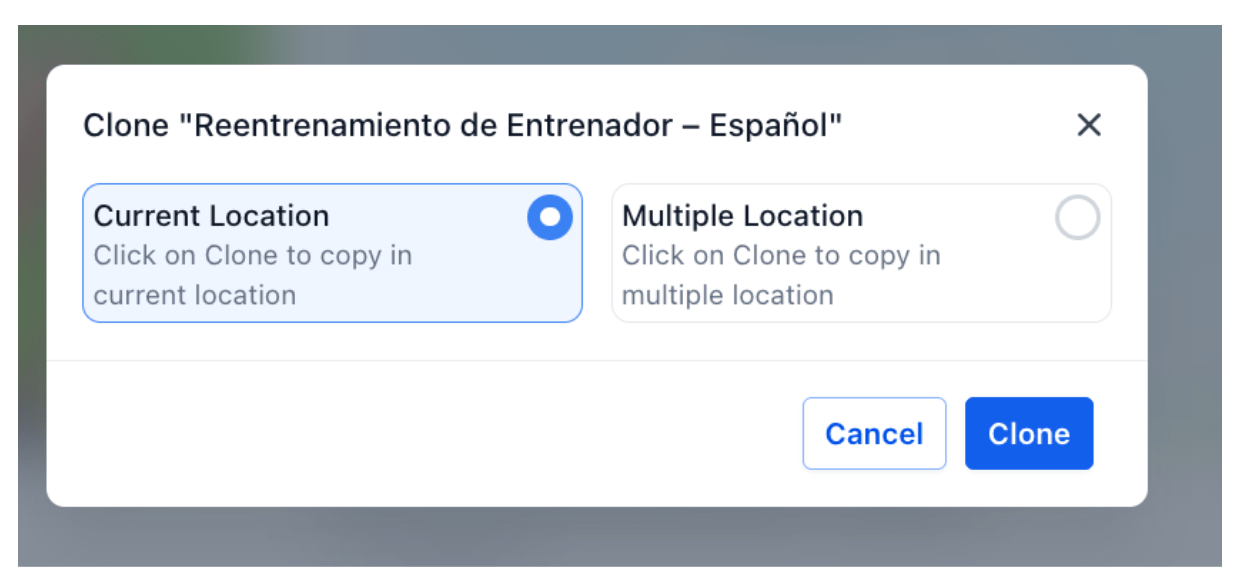
3. Select “Current Location” and then “Clone.”
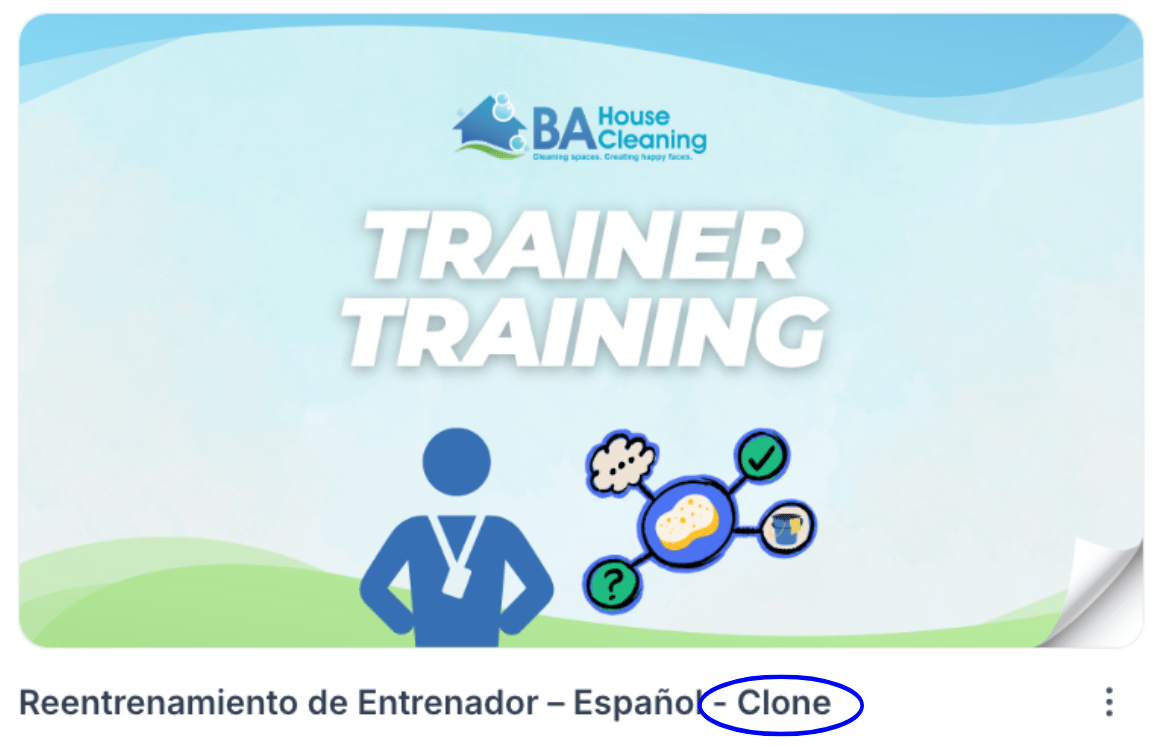
4. You can find it with the word “Clone” at the end of its name.
How to Update Course Content
1. Select the course you want to edit (Example: Safety & Injury Prevention Training – English)
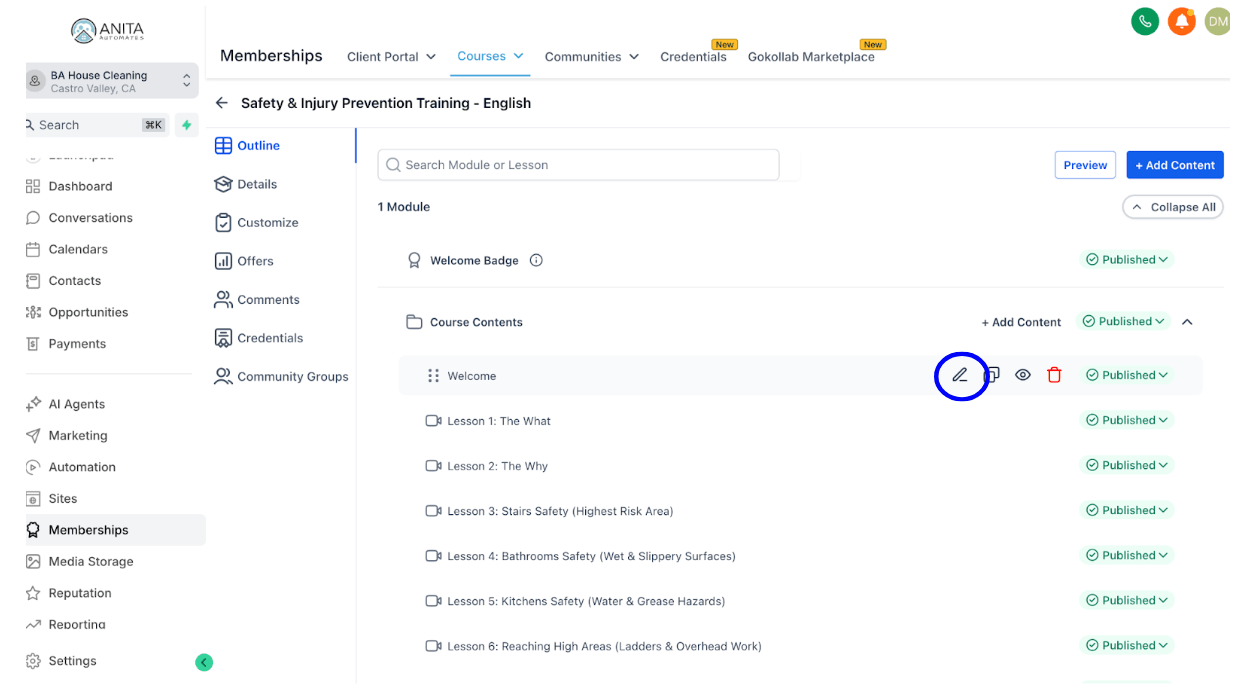
2. Hover over the section you want to edit and click the pencil icon.
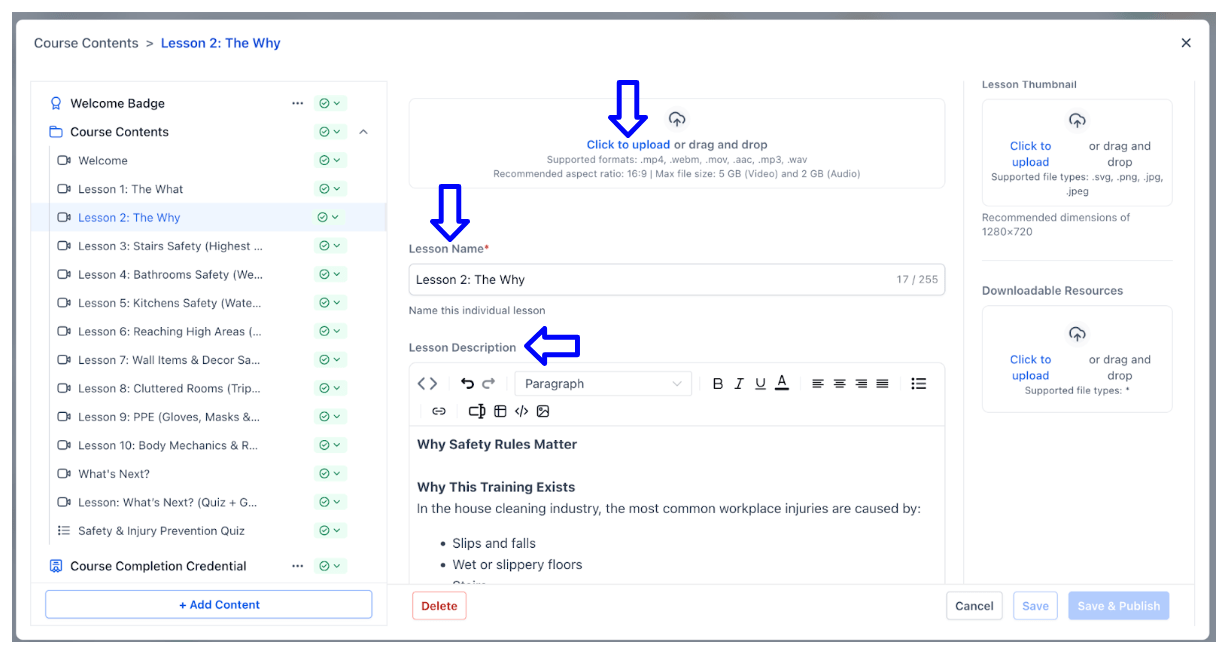
3. You can upload media, change the lesson name and description, and include anything you think is necessary to explain the lesson.
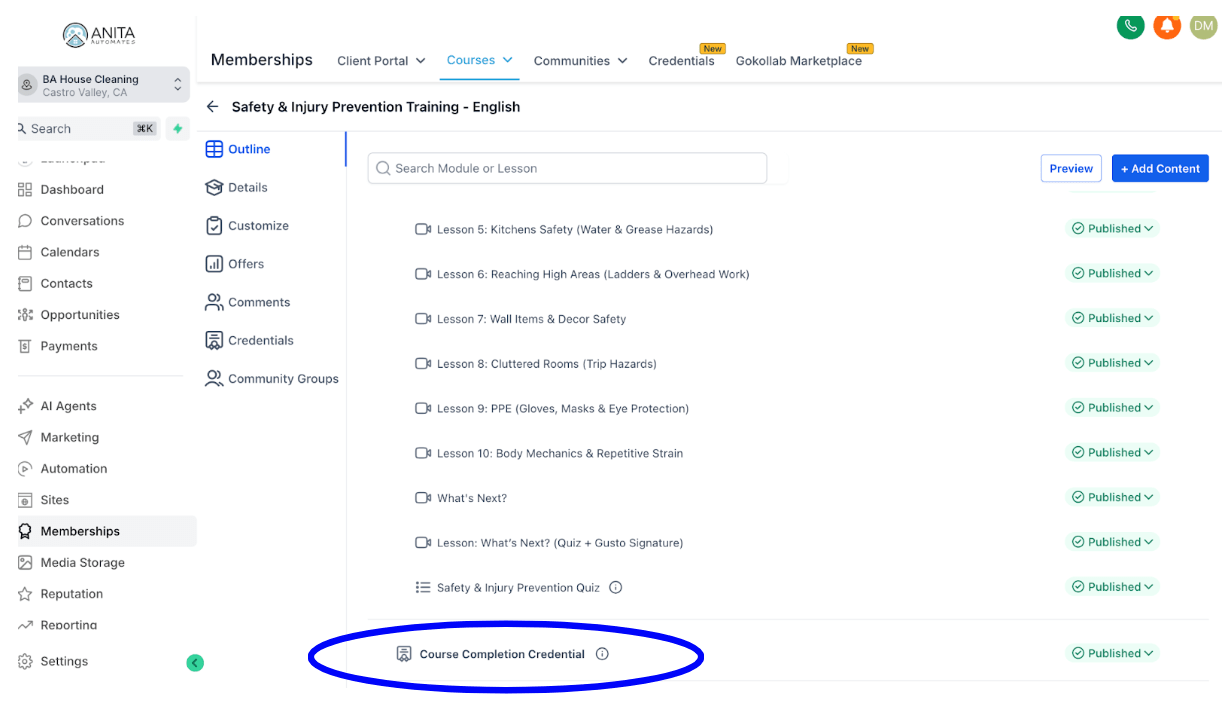
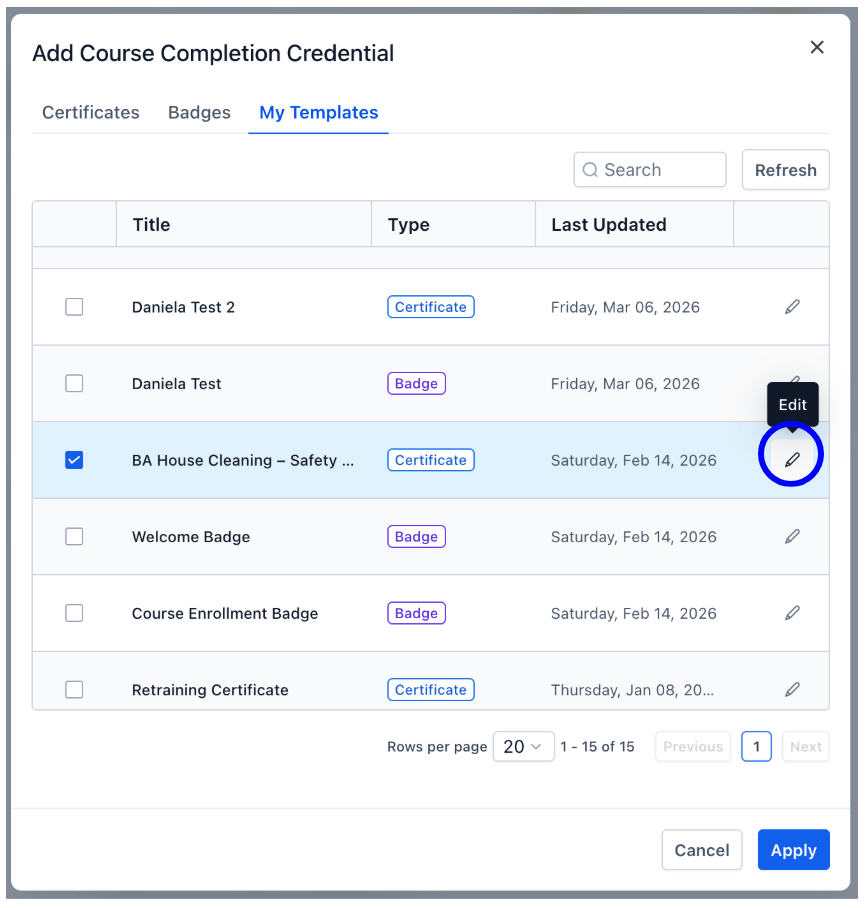
4. You can also edit the Welcome Badge or the Course Completion Credential by selecting it and clicking the pencil icon.
5.