Office Resources
How To Downgrade Indeed Budgets
1. Go to Indeed → All Jobs.
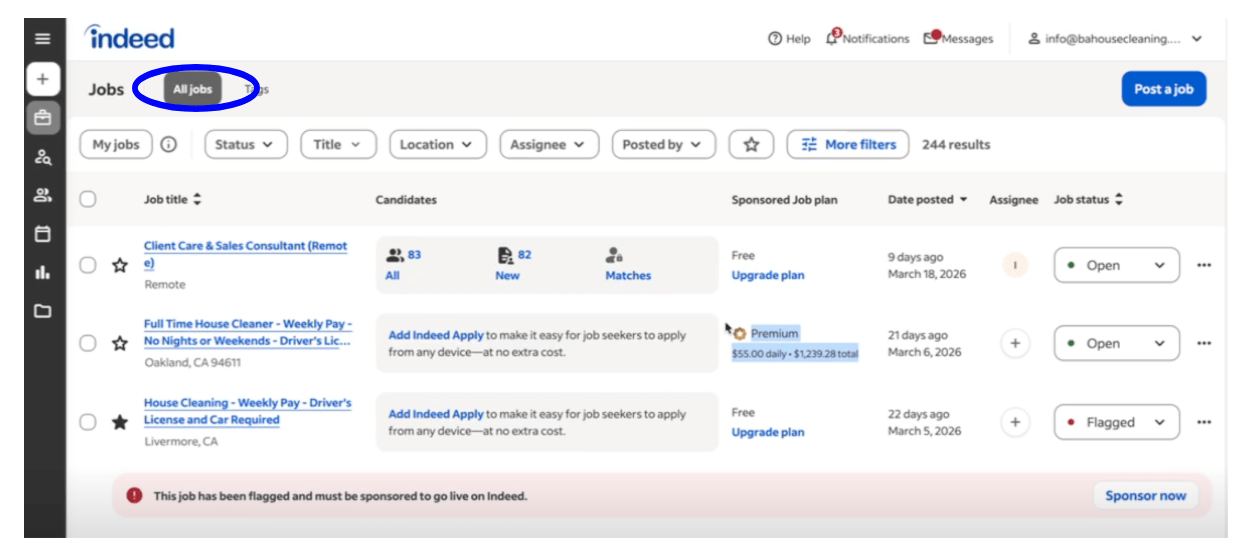
2. Search for a job with the Premium plan.
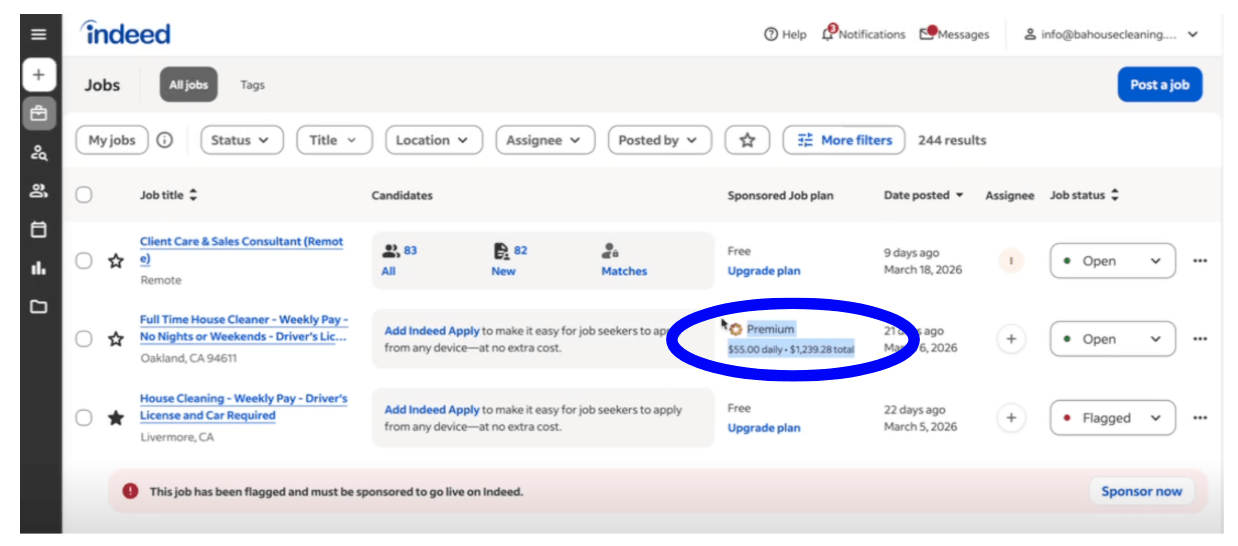
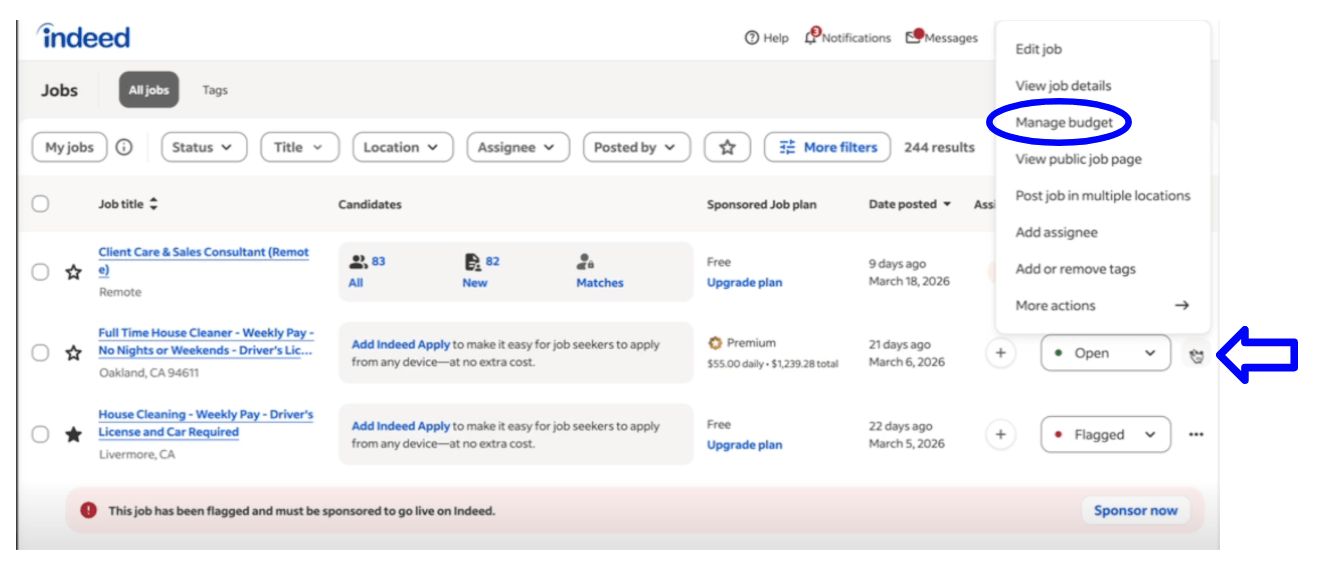
3. Select the three dots → Manage budget.
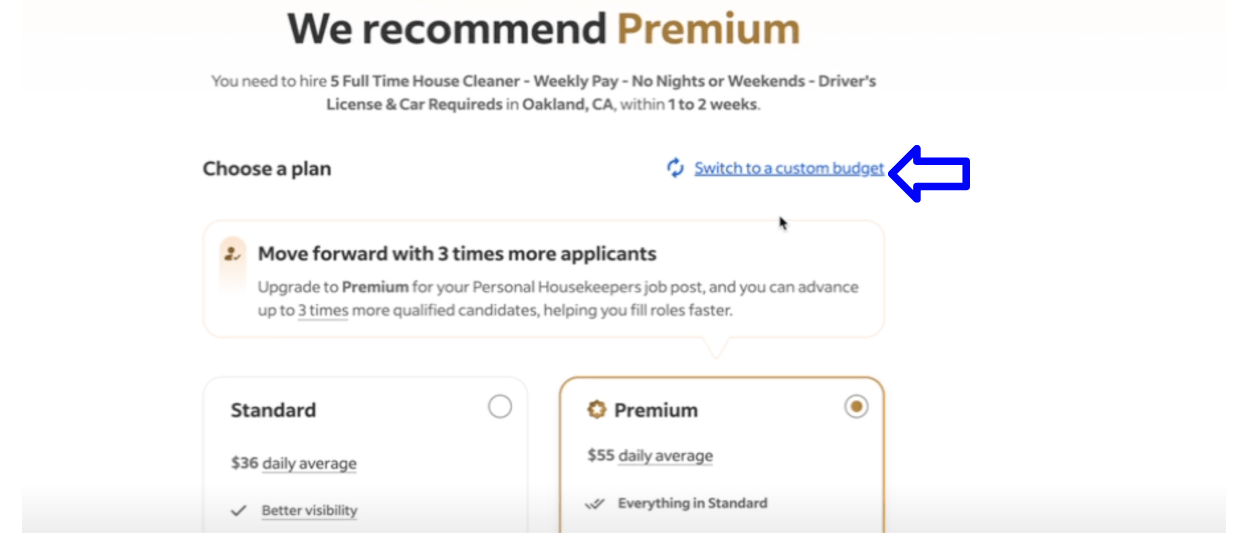
4. Select Switch to a custom budget.
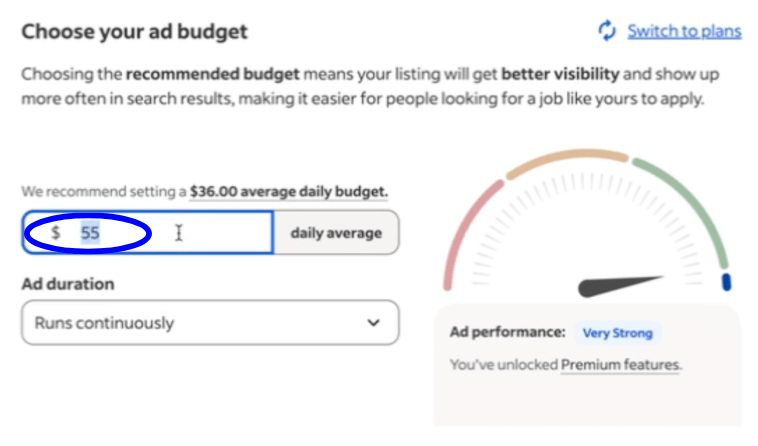
5. Set the daily average to $5, then click Save and continue.
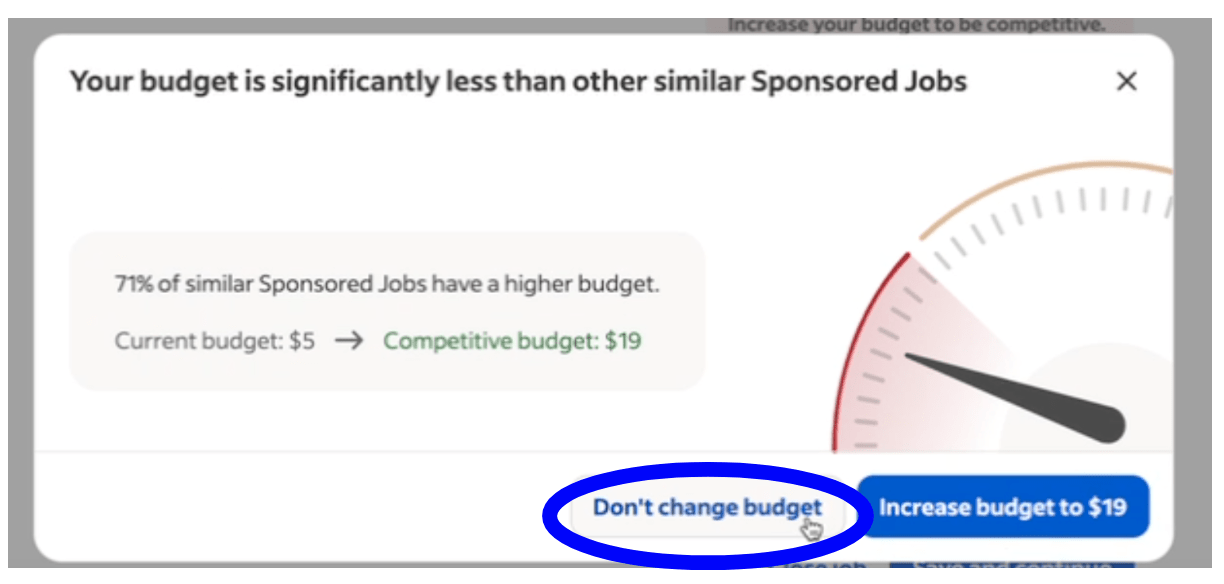
6. Select Don’t change budget and click Continue.
7. Repeat these steps for all jobs with the Premium plan.
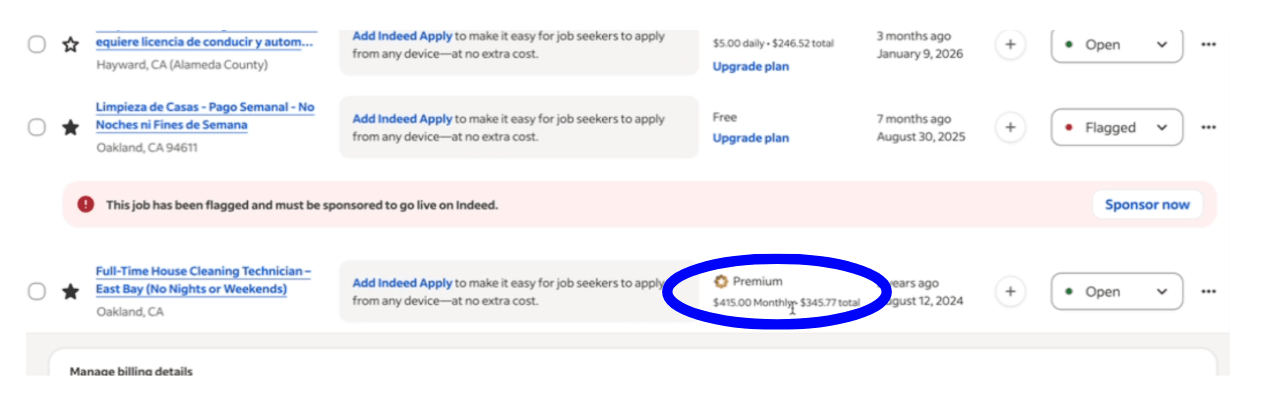
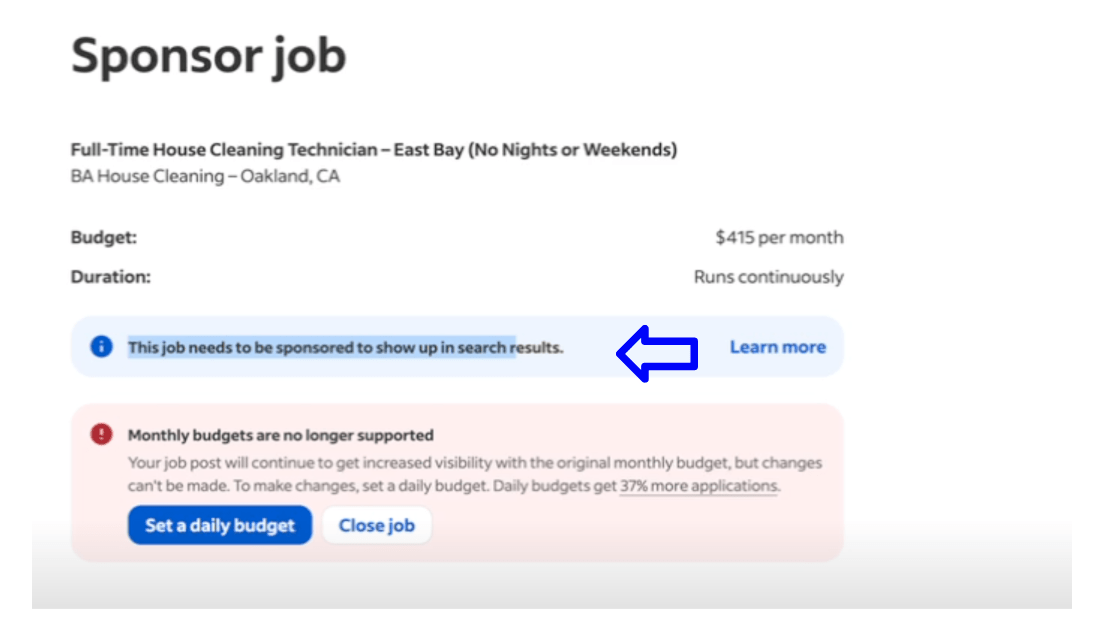
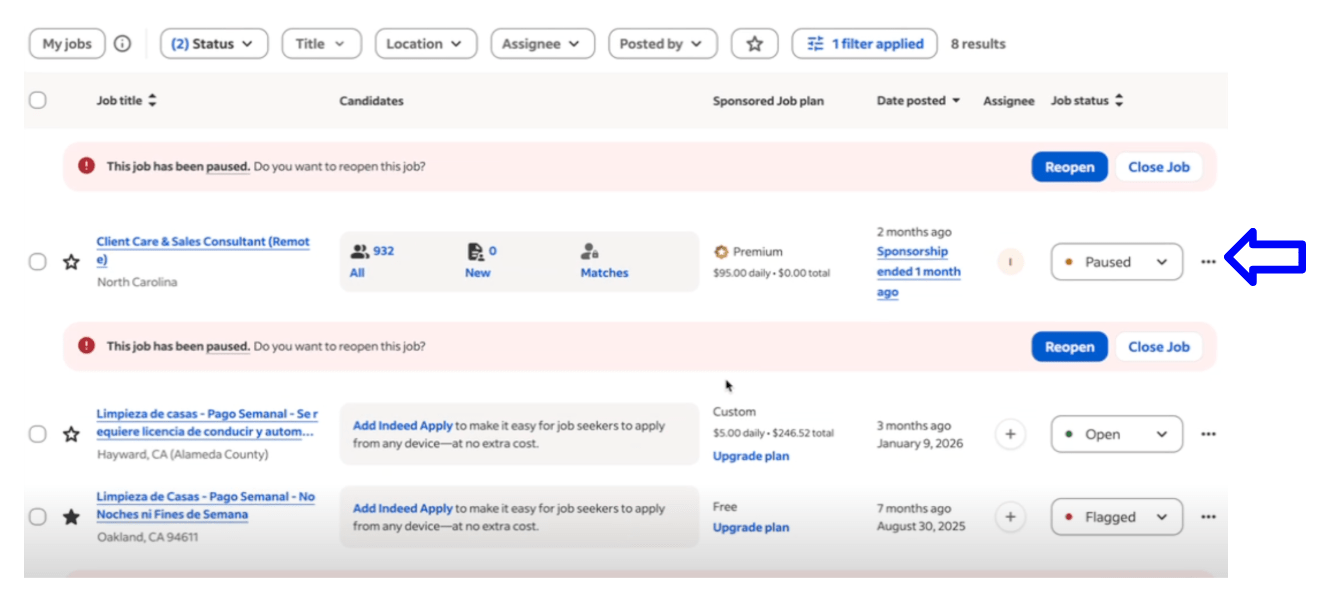
8. Do nothing if you see this message: “This job needs to be sponsored to show up in search results” or if the job is paused.