
Office Resources
Adding a tip to completed/invoiced jobs
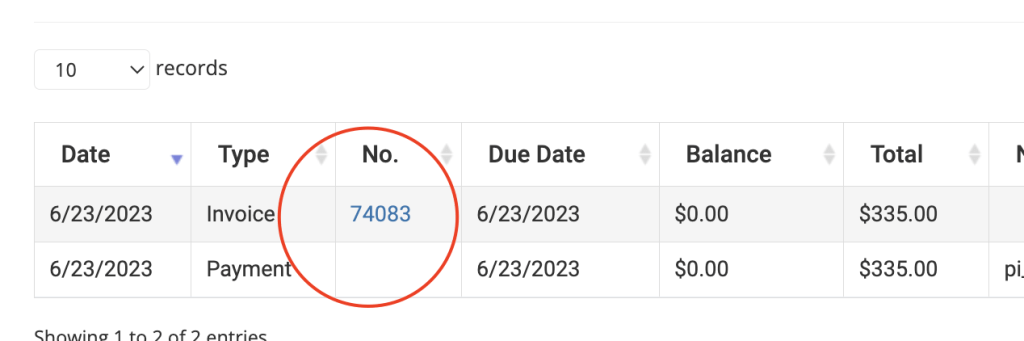 This is how you add the tip for cleaning that has already been charged.
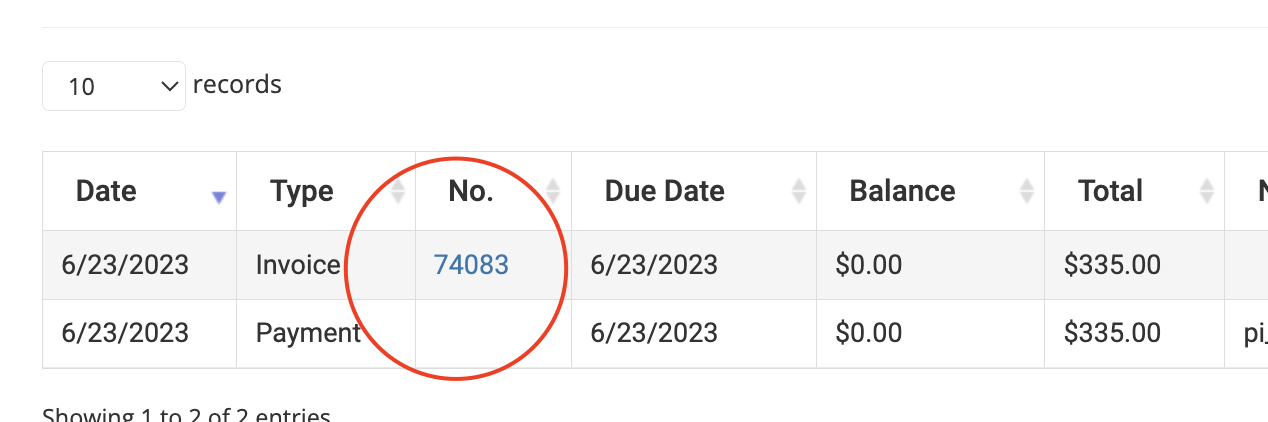
- In Quickbooks locate the invoice pertaining to the particular job a tip needs to be added to
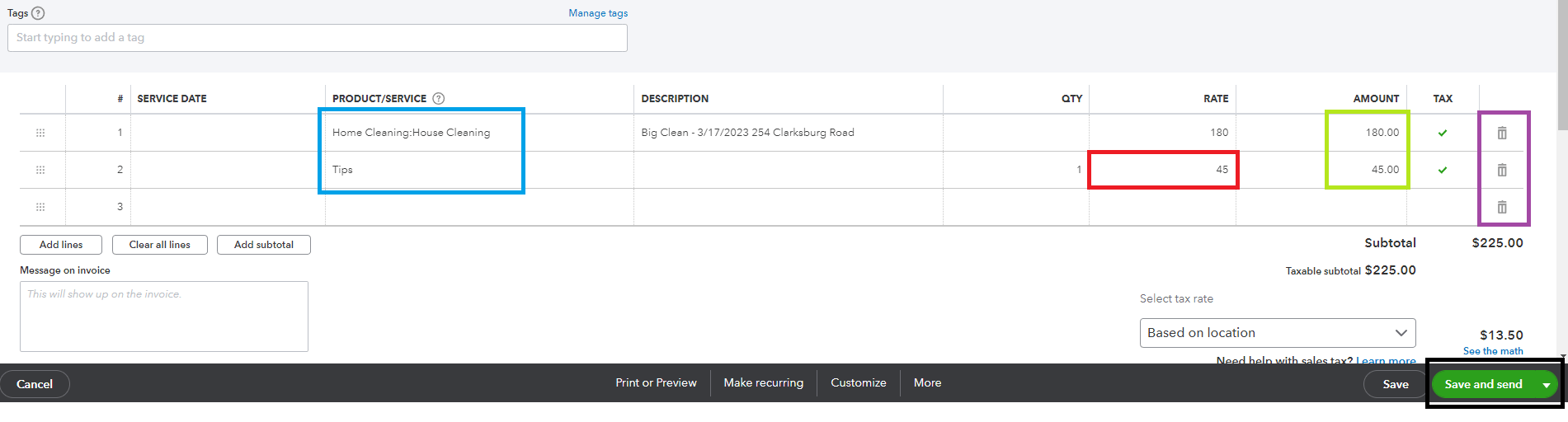
- Click on EDIT invoice
- Add a TIP and tip amount
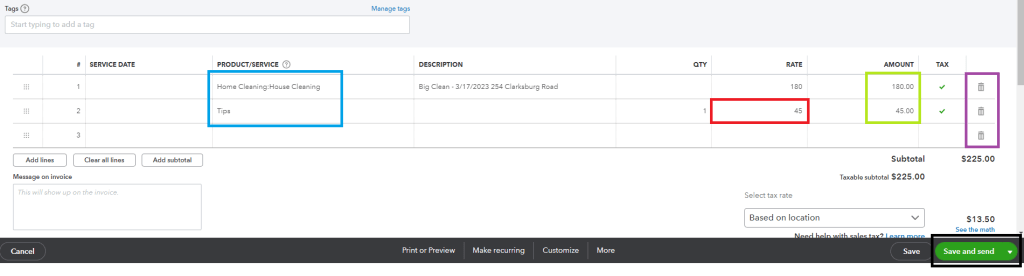
- Click on SAVE withOUT sending the invoice.
- Go back to customer’s profile in Maid Central and Quickbooks Tab

- Open invoice which will now be updated with the TIP amount and balance due.
- Charge the card for the balance (the tip amount)
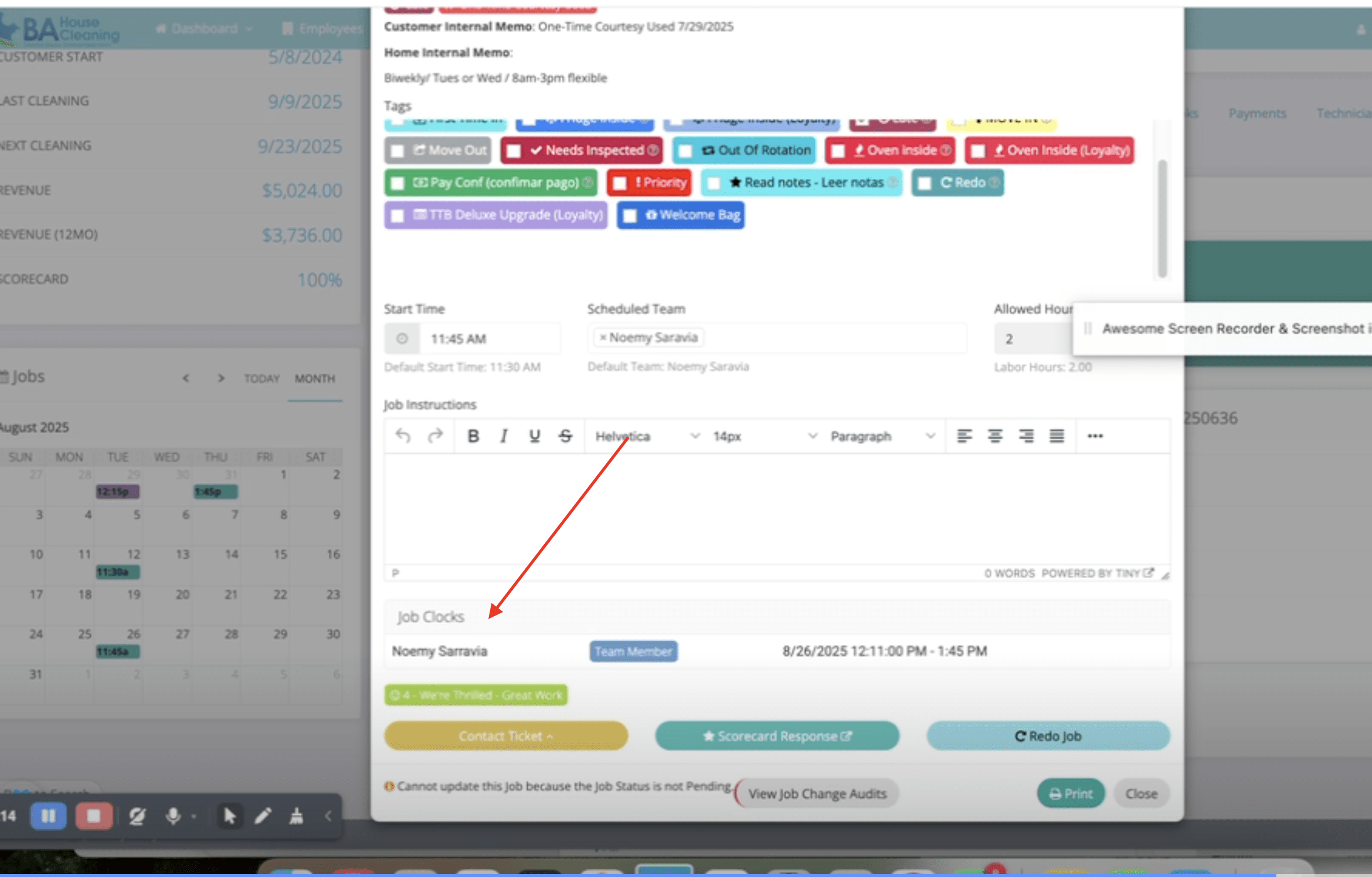
- Find out the employee(s) that performed the job on that day.
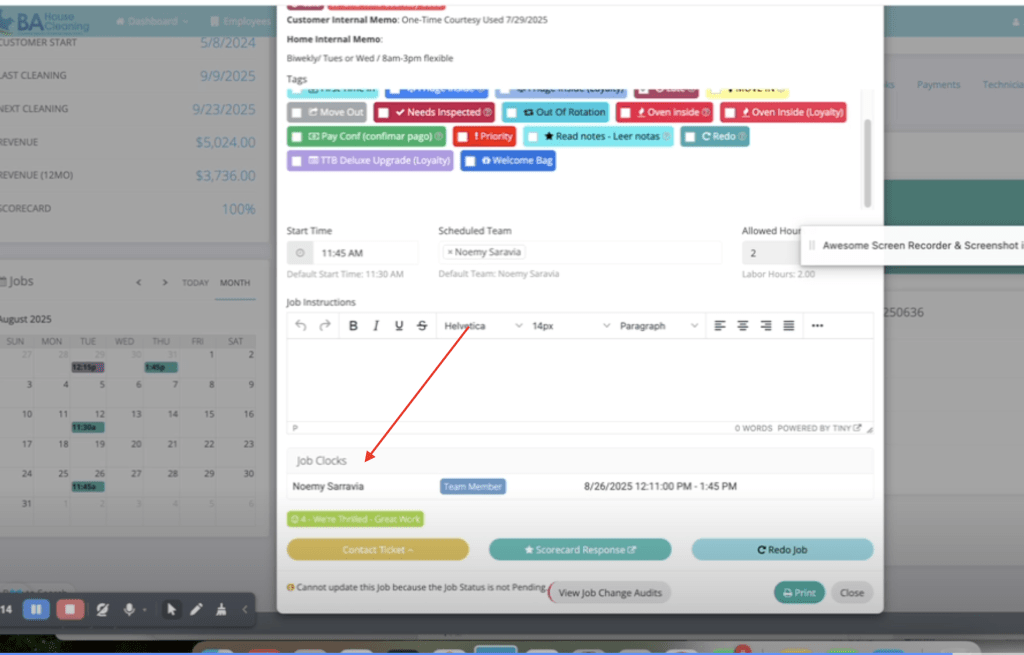
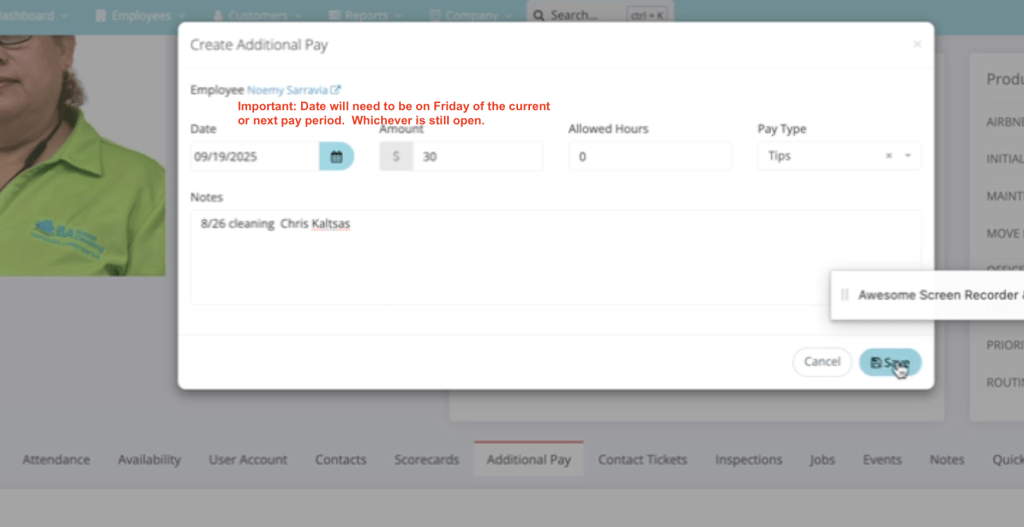
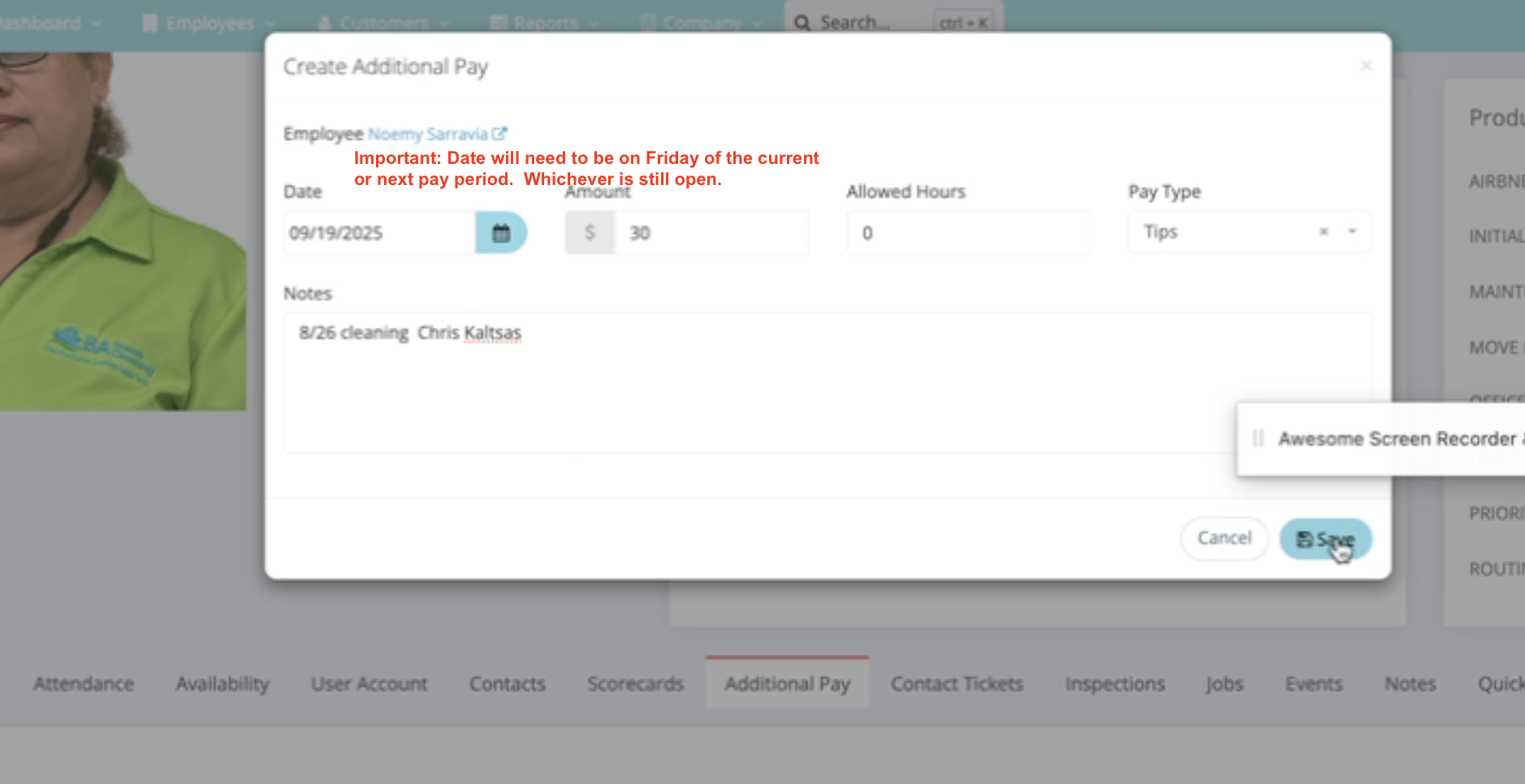
- Add the tip manually as Additional Pay by going to the employees profile, and under Additional Pay Tab.

VIDEO reference: